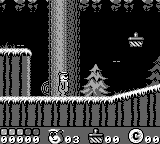
Yogi Bear in Yogi Bear's Goldrush (Europe)
About Yogi Bear in Yogi Bear's Goldrush (Europe)
Yogi Bear in Yogi Bear's Goldrush is a platformer game released for the Game Boy. It emerged in Europe, bringing the beloved Hanna-Barbera character to the handheld gaming scene. While specific details about the developer are not widely documented, the game fits well within the era's trend of adapting popular cartoon characters into video games.
In this title, players take control of Yogi Bear as he embarks on a quest to collect gold and avoid various obstacles. The gameplay involves navigating through different levels, each filled with challenges and enemies that require timing and skill to overcome. While the mechanics may not be groundbreaking, they reflect the simple yet engaging gameplay typical of platformers from this era.
For those exploring retro games, Yogi Bear in Yogi Bear's Goldrush offers a nostalgic experience, especially for fans of the cartoon. While it may not be as celebrated as some of its contemporaries, it holds a unique charm that makes it worth a try. The game encapsulates the lighthearted fun of the early 90s platformers, making it a quaint addition to any retro gaming collection.
How to Play Yogi Bear in Yogi Bear's Goldrush (Europe) Online
Getting started in Yogi Bear in Yogi Bear's Goldrush involves selecting your game mode and diving into the levels. Players will guide Yogi through various terrains, collecting gold while avoiding or defeating enemies. The core loop revolves around navigating levels to gather items and reach the end while managing Yogi's health.
As you play, keep an eye out for power-ups and collectibles that can aid your progress. Timing jumps and attacks is crucial, especially when facing obstacles. Familiarizing yourself with the control layout will enhance your ability to maneuver effectively through the game, helping you to enjoy the quirky charm of Yogi's adventure.
Yogi Bear in Yogi Bear's Goldrush (Europe) Keyboard Controls
Controls
- Arrow Keys — D-Pad / Movement
- X — A button (jump / confirm)
- S — B button (run / attack / cancel)
- Enter — Start / Pause
- V — Select






Comments (0)