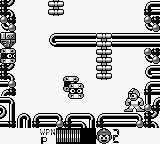
Megaman II (Europe)
Megaman II (Europe) Overview
Megaman II (Europe) is a platformer that was released for the Game Boy in 1990. Developed by Capcom, this title is a part of the renowned Megaman franchise, which has garnered a loyal following since its inception. The game features classic 8-bit graphics and sound, typical of the era, and offers players a chance to experience the beloved character in a portable format.
In Megaman II, players control Megaman as he battles through various stages, each culminating in a boss fight against a Robot Master. The gameplay is structured around platforming mechanics, where players must navigate through obstacles, defeat enemies, and gather power-ups. Each defeated boss grants Megaman a new weapon, adding strategic depth as players can choose the best approach for upcoming challenges based on the abilities they’ve acquired.
This title is worth trying for those who appreciate retro gaming and the iconic Megaman series. While it may not have the same level of polish as some of its console counterparts, it captures the essence of the franchise well. Players looking for a nostalgic experience or those wanting to explore the Game Boy's library will find Megaman II a solid addition, especially for fans of platformers from this era.
How to Play Megaman II (Europe) Online
To get started in Megaman II, select your desired stage from the main menu. Each stage offers unique challenges and enemies, so it’s wise to experiment with different bosses to find the best strategy. As you progress, you’ll collect power-ups and weapons that will aid in your journey.
The core loop involves navigating levels, defeating enemies, and ultimately facing off against bosses. Each Robot Master you defeat grants you a new weapon, which can be used strategically in other levels. Familiarize yourself with the enemy patterns and the strengths of your acquired weapons to optimize your playthrough.
Megaman II (Europe) Keyboard Controls
Controls
- Arrow Keys — D-Pad / Movement
- X — A button (jump / confirm)
- S — B button (run / attack / cancel)
- Enter — Start / Pause
- V — Select






Comments (0)