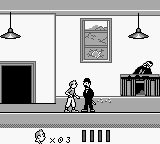
Earthworm Jim (Europe)
What is Earthworm Jim (Europe)?
Earthworm Jim (Europe) is a platformer game released for the Game Boy in 1995. This title is part of the Earthworm Jim franchise, which was originally developed by Shiny Entertainment for other consoles. The Game Boy version is notable for its unique adaptation of the original game, fitting the action-packed gameplay into a portable format.
In this game, players control the titular character, Earthworm Jim, as he battles various enemies across multiple levels. The gameplay revolves around jumping, running, and using a variety of weapons to defeat foes and navigate through obstacles. Players will find themselves facing different challenges, such as platforming sections and boss fights, which require quick reflexes and strategic thinking to overcome.
Today, Earthworm Jim (Europe) is worth trying for fans of classic platformers and those interested in the evolution of video games. It holds a nostalgic charm that reflects the platforming genre of its time, even if it may not have the depth of some modern titles. While it may not be as widely celebrated as its console counterparts, it offers a fun experience that captures the quirky humor and style of the Earthworm Jim series.
How to Play Earthworm Jim (Europe) Online
To start playing Earthworm Jim, begin by selecting the game from your emulator. Once the game loads, you will be introduced to the character and the basic controls. Your primary objective is to navigate through various levels, defeating enemies and collecting items along the way.
The core loop involves moving through stages, jumping over obstacles, and engaging in combat with enemies. Pay attention to the power-ups and weapons available, as they enhance your abilities and help you progress. Familiarize yourself with the controls to master Jim's unique moves and enjoy the humorous environments that the game offers.
Earthworm Jim (Europe) Keyboard Controls
Controls
- Arrow Keys — D-Pad / Movement
- X — A button (jump / confirm)
- S — B button (run / attack / cancel)
- Enter — Start / Pause
- V — Select






Comments (0)