Dennis (Europe)
Inside Dennis (Europe)
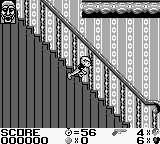
Dennis (Europe) is a platformer game for the Game Boy, released in the early 1990s. This title is based on the popular comic strip character Dennis the Menace, known for his mischievous antics. While the specific developers and publishers are not widely documented, the game fits within the platform genre that was prevalent during the handheld gaming boom of that era.
In Dennis, players navigate through various levels, overcoming obstacles and enemies to progress. The gameplay mechanics align with typical platformers of the time, where jumping and timing are crucial for avoiding hazards and collecting items. Players guide Dennis through colorful environments, utilizing platforming skills to reach the end of each stage while facing challenges along the way.
Today, Dennis holds a niche appeal for retro gaming enthusiasts and fans of the comic strip. Its gameplay is straightforward and reminiscent of other platformers from the Game Boy library, which can be both a charm and a limitation. While it may not offer the depth of more renowned titles, its simplicity and nostalgic value make it worth a try for those looking to explore lesser-known gems from the handheld era.
How to Play Dennis (Europe) Online
Getting started in Dennis involves familiarizing yourself with the controls and the game's environment. Begin by navigating through the first level, where you will encounter basic obstacles and enemies. Your primary goal is to jump over platforms and defeat or avoid enemies to collect items scattered throughout the level.
As you progress, focus on mastering the jumping mechanics and timing your moves. Collecting items can provide bonuses, so keep an eye out for them. The core loop revolves around moving from left to right, overcoming challenges, and reaching the end of each level. Understanding the layout of each stage is key to successfully navigating Dennis's world and enjoying the gameplay experience.
Dennis (Europe) Keyboard Controls
Controls
- Arrow Keys — D-Pad / Movement
- X — A button (jump / confirm)
- S — B button (run / attack / cancel)
- Enter — Start / Pause
- V — Select






Comments (0)