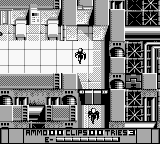
Alien 3 (Japan)
Alien 3 (Japan) on GB
Alien 3 for the Game Boy is an action platformer released exclusively in Japan. Developed by LJN and published by Fox Interactive, this title came out in 1993 and is based on the popular sci-fi horror film series. It captures the essence of the Alien franchise while adapting it to the portable gaming experience of the Game Boy, a system known for its library of unique titles during the early 90s.
In Alien 3, players take on the role of Ellen Ripley as she navigates through various levels filled with enemies and hazards. The gameplay primarily involves platforming mechanics, where players jump, run, and attack to defeat foes and overcome obstacles. Unlike many of its peers, this game leans more towards action rather than exploration, providing a straightforward experience focused on defeating enemies and completing levels.
This title is worth checking out for those who appreciate retro gaming and the Alien franchise. While it may not be as well-known as other platformers of the era, it offers a nostalgic glimpse into how licensed games were adapted during the 8-bit and 16-bit eras. Its simplicity and direct gameplay can be refreshing, especially for fans looking for a quick gaming session on the go.
How to Play Alien 3 (Japan) Online
Getting started with Alien 3 involves familiarizing yourself with the controls and the game mechanics. As soon as you begin, you'll want to move through the levels, defeating enemies and avoiding hazards. The objective is to reach the end of each stage while collecting power-ups and managing your health.
The core loop consists of navigating through platforming challenges, engaging in combat, and utilizing power-ups to enhance your abilities. Since this is a Japanese-only title, players should be prepared for menus and in-game text in Japanese. Simple navigation can be achieved through trial and error, as the gameplay mechanics are intuitive for those familiar with platformers from this era.
Alien 3 (Japan) Keyboard Controls
Controls
- Arrow Keys — D-Pad / Movement
- X — A button (jump / confirm)
- S — B button (run / attack / cancel)
- Enter — Start / Pause
- V — Select






Comments (0)