CHOOSE A VERSION
2 versions · same consoleChoose an original release, regional version, revision, bootleg or clearly labelled ROM hack/mod, then press Play. Hacks may change the gameplay. Switching versions restarts the player.
Selected: Default · Japan · Japan
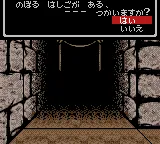
The game loads when you press Play · press “Play Now” inside the game if it asks.
Wizardry I - Proving Grounds of the Mad Overlord (Japan)
Wizardry I - Proving Grounds of the Mad Overlord
Wizardry I - Proving Grounds of the Mad Overlord on GBC
- Game Boy Color
- RPG
- 5· 0 votes
GAME INFO
- Platform
- Game Boy Color
- Genre
- RPG
- Players
- 1
- Region
- Japan
More Wizardry Games
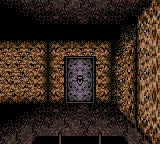
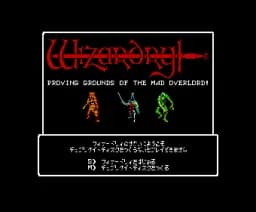
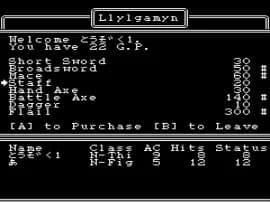
Ready for another round? Explore more Wizardry games and console editions. Choose a game below to play it on its own page.

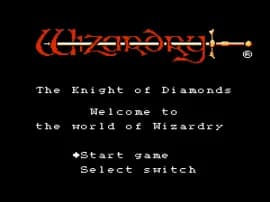
How to play Wizardry I - Proving Grounds of the Mad Overlord online
Getting Started
Start by selecting a new game from the title screen. The game is entirely in Japanese, so menu navigation will require some trial and error or a translation guide. The first task is to create a party of up to six characters. You'll assign stats, a class (like Fighter, Mage, Priest, Thief), and a race. Choosing a balanced party is key: at least one fighter for frontline damage, a priest for healing, and a mage for offensive spells. After creation, the game begins in the town of Lloyd. Here you can buy equipment and supplies from shops, rent a room to rest, and speak to townsfolk for clues.
When you're ready, head to the castle entrance to start dungeon crawling. Movement is grid-based; use the D-Pad to step forward, turn left or right, and back out of dead ends. Pressing the A button confirms actions in menus and during combat. The B button cancels or lets you run from battle if you're quick. Combat is menu-driven: select attack, cast a spell, use an item, or attempt to flee. Expect to die often - save frequently using the in-game save option (usually accessed from the camp menu). Mapping the dungeon on graph paper is highly recommended, as the game provides no auto-map. Persistence and careful resource management are the keys to survival.
CONTROLS
Controls
- Arrow Keys: D-Pad / Movement
- X: A button (jump / confirm)
- S: B button (run / attack / cancel)
- Enter: Start / Pause
- V: Select
Wizardry I - Proving Grounds of the Mad Overlord FAQ
Can players save progress in Wizardry I - Proving Grounds of the Mad Overlord?
Progress can be saved using the game's built-in save function, which uses a battery-backed save slot on the Game Boy Color cartridge. It's wise to save frequently, especially after leveling up or acquiring valuable gear, as the game is unforgiving and permanent death is a real risk.
What makes Wizardry I - Proving Grounds of the Mad Overlord stand out among Game Boy Color titles of its era?
It stands out as one of the few authentic ports of a classic computer dungeon crawler to a handheld console, retaining the original's punishing difficulty and deep party-based roleplaying. The first-person grid-based navigation and turn-based strategy offer a slow, deliberate experience quite different from action-oriented Game Boy Color RPGs.
Is Wizardry I - Proving Grounds of the Mad Overlord exclusive to Game Boy Color or did it appear on other systems?
Wizardry I originally appeared on the Apple II in 1981 and was later ported to many home computers and consoles. This specific version is a port developed and released only for Game Boy Color in Japan, making it a unique handheld adaptation of the classic.
You may also like
All Game Boy Color games
GAME INFO
- Platform
- Game Boy Color
- Genre
- RPG
- Players
- 1
- Region
- Japan
COMMENTS (0)
No comments yet. Be the first to share your thoughts.