CHOOSE A VERSION
2 versions · same consoleChoose an original release, regional version, revision, bootleg or clearly labelled ROM hack/mod, then press Play. Hacks may change the gameplay. Switching versions restarts the player.
Selected: Default · USA · USA
The game loads when you press Play · press “Play Now” inside the game if it asks.
Kirby Tilt 'n' Tumble (USA)
Kirby Tilt 'n' Tumble
Kirby Tilt 'n' Tumble - Action Classic
- Game Boy Color
- Action
- 5· 0 votes
Kirby Tilt 'n' Tumble is a unique Game Boy Color game that came out in 2001 in North America, published by Nintendo and developed by HAL Laboratory. It is an action game that makes use of a tilt sensor built into the cartridge: you literally tilt the Game Boy Color to control Kirby's movement. This was one of the few titles to use such hardware, making it a standout in the GBC library.
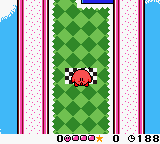
In the game, you guide Kirby through a series of obstacle courses by physically tilting the handheld. Kirby rolls and bounces across tilted surfaces, collecting stars and avoiding hazards to reach the goal. The levels are viewed from a top-down perspective, and the challenge comes from learning how the tilt affects momentum and direction. There are also enemies and power-ups to manage, but the core mechanic is all about balancing and steering through the environment.
What makes this game worth revisiting today is its one-of-a-kind control scheme. No other Kirby game plays quite like it, and it remains a fascinating piece of Game Boy Color history. The tilt mechanic is intuitive and fun, though emulation can be tricky if you don't have tilt simulation set up. It is a short but memorable experience that shows how developers experimented with hardware gimmicks in the late handheld era.
GAME INFO
- Platform
- Game Boy Color
- Genre
- Action
- Publisher
- Nintendo
- Developer
- HAL Laboratory
- Released
- 2001
- Players
- 1
- Region
- USA
How to play Kirby Tilt 'n' Tumble online
Getting Started
Kirby Tilt 'n' Tumble relies entirely on tilting the Game Boy Color to move Kirby. On original hardware, you physically tilt the console left, right, forward, and backward to roll Kirby in those directions. In an emulator, you will need to configure tilt simulation - often by holding a designated key (like Shift or Space) and moving the mouse, or by using arrow keys mapped to tilt directions. Check the emulator's settings or documentation for the correct method, as this varies.
Once the tilt controls are set, start a new game from the title screen. Each level has a start and a goal. Tilt to guide Kirby through the course, collecting stars for points and avoiding enemies and pits. The game introduces new obstacles gradually. There is no jump button - movement is purely tilt-based. You can press the A button (X key) to use items or interact with certain objects, but the main action is steering.
The core loop is simple: tilt to navigate, reach the star at the end of each stage, and progress. Some levels have branching paths or hidden areas. If you get stuck, experiment with different tilt angles and speeds. The game saves your progress automatically after each completed level, so you can pick up later.
CONTROLS
Controls
- Arrow Keys: D-Pad / Movement
- X: A button (jump / confirm)
- S: B button (run / attack / cancel)
- Enter: Start / Pause
- V: Select
Kirby Tilt 'n' Tumble FAQ
Does Kirby Tilt 'n' Tumble have a multiplayer or co-op mode?
No, the game is strictly single-player. It does not feature any multiplayer, co-op, or versus modes.
Is Kirby Tilt 'n' Tumble exclusive to Game Boy Color or did it appear on other systems?
It was released only for the Game Boy Color. It never received a port to other Nintendo systems or any official rerelease on Virtual Console or Nintendo Switch Online.
Who developed Kirby Tilt 'n' Tumble?
HAL Laboratory developed the game, with Nintendo handling publishing duties. The same studio created many other Kirby titles.
You may also like
All Game Boy Color games











GAME INFO
- Platform
- Game Boy Color
- Genre
- Action
- Publisher
- Nintendo
- Developer
- HAL Laboratory
- Released
- 2001
- Players
- 1
- Region
- USA
COMMENTS (0)
No comments yet. Be the first to share your thoughts.