The game loads when you press Play · press “Play Now” inside the game if it asks.
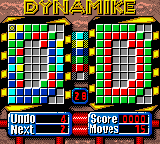
DynaMike (Europe) (Proto)
DynaMike
DynaMike on GBC
- Game Boy Color
- Action
- Prototype
- 5· 0 votes
GAME INFO
- Platform
- Game Boy Color
- Genre
- Action
- Region
- Europe
- Version
- Proto
How to play DynaMike online
CONTROLS
Controls
- Arrow Keys: D-Pad / Movement
- X: A button (jump / confirm)
- S: B button (run / attack / cancel)
- Enter: Start / Pause
- V: Select
DynaMike FAQ
What makes DynaMike stand out among Game Boy Color titles of its era?
DynaMike is notable primarily as an unreleased prototype, offering a rare look at a game that was never completed. Its incomplete state sets it apart from the polished commercial library of the Game Boy Color, making it more of a historical artifact than a playable experience. Few other prototypes from this platform survive in such an accessible form.
Roughly how long does it take to finish DynaMike?
Since the prototype contains only a handful of screens with no actual goal, completion time is trivial - maybe one or two minutes of basic movement. There is no real ending or final objective, so calling it "finished" is not quite accurate. The content is extremely limited even by prototype standards.
In what year was DynaMike originally released?
DynaMike (Europe) (Proto) was never officially released, so no public release year exists. The prototype likely dates from the late 1990s or early 2000s based on the platform and dump context, but exact timing is not widely documented. No developer or publisher information has been confirmed for this build.
You may also like
All Game Boy Color games











GAME INFO
- Platform
- Game Boy Color
- Genre
- Action
- Region
- Europe
- Version
- Proto
COMMENTS (0)
No comments yet. Be the first to share your thoughts.