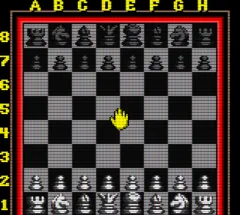
The game loads when you press Play · press “Play Now” inside the game if it asks.
Chessmaster (USA, Europe)
Chessmaster
Chessmaster on GBC
- Game Boy Color
- Board Game
- 5· 0 votes
You play standard chess against a computer opponent, with a handful of difficulty levels to match your skill. The core loop is exactly what you'd expect: you move pieces, capture, and try to checkmate your opponent's king. The interface is straightforward, letting you select pieces with the D-pad and confirm moves with the A button. There are also options to undo moves or get hints if you get stuck, which is nice for beginners.
Today, this title is a solid example of a classic board game translated faithfully to the Game Boy Color. It doesn't try to reinvent chess, but it doesn't need to. If you enjoy portable chess games or want to see how the Chessmaster series fared on Nintendo's handheld, this is worth a quick match. It's not flashy, but it's functional and respects the source material.
GAME INFO
- Platform
- Game Boy Color
- Genre
- Board Game
- Released
- 1999
- Players
- 1-2
- Region
- USA, Europe
More Chessmaster Games
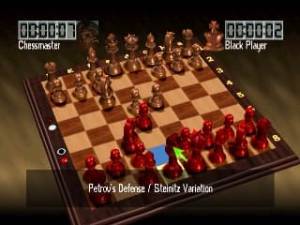
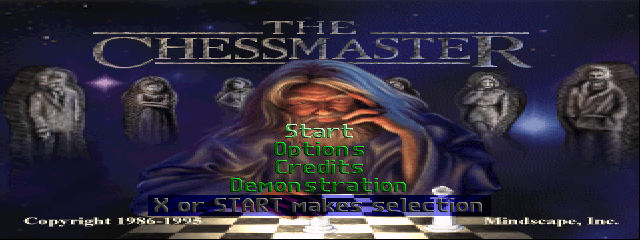
Ready for another round? Explore more Chessmaster games and console editions. Choose a game below to play it on its own page.
How to play Chessmaster online
Getting Started: When you boot up Chessmaster on the Game Boy Color, you'll first see a title screen. Press Start to move to the main menu. From there, you can select a game mode, typically a standard match against the computer or a two‑player game if you have a link cable. The default is a one‑player game where you pick your difficulty level - ranging from beginner to expert - and whether you want to play as white or black.
The core loop is identical to physical chess. Use the D‑pad to move a cursor over the board, highlight a piece, and press the A button to select it. Then move the cursor to a valid square and press A again to move. If you make a mistake, the game usually lets you undo the last move using the B button or a menu option. The AI will respond quickly, and you can view the board from different angles, though the GBC screen is small. There is no time limit unless you enable one in the options, so take your time.
New players should start on the easiest difficulty to learn the AI's patterns. The game also includes a hints feature - accessible from the pause menu - which suggests a reasonable move if you are stuck. While the interface may feel dated, it is perfectly functional once you get used to the cursor movement. If you have a friend and a link cable, two‑player mode works smoothly, though the single‑player campaign is the main draw.
CONTROLS
Controls
- Arrow Keys: D-Pad / Movement
- X: A button (jump / confirm)
- S: B button (run / attack / cancel)
- Enter: Start / Pause
- V: Select
Chessmaster FAQ
Is there anything iconic or memorable about Chessmaster?
The Chessmaster series is famous for its longevity and the consistent cover art featuring Will Hare, which was used from Chessmaster 2000 all the way to Chessmaster 9000. The Game Boy Color version brought that legacy to a portable format, making it one of the few handheld chess games from a major franchise at the time.
Is Chessmaster an official release, a fan hack, a prototype, or another kind of build?
It is an official commercial release, part of the best‑selling chess video game series. There are no indications it is a hack, prototype, or fan creation.
Is Chessmaster exclusive to Game Boy Color or did it appear on other systems?
Chessmaster appeared on many platforms long before the Game Boy Color version, including PC, NES, SNES, PlayStation, and others. The series has been released across multiple generations, so the GBC version is just one of many ports.
You may also like
All Game Boy Color games











GAME INFO
- Platform
- Game Boy Color
- Genre
- Board Game
- Released
- 1999
- Players
- 1-2
- Region
- USA, Europe
COMMENTS (0)
No comments yet. Be the first to share your thoughts.