CHOOSE A VERSION
5 versions · same consoleChoose an original release, regional version, revision, bootleg or clearly labelled ROM hack/mod, then press Play. Hacks may change the gameplay. Switching versions restarts the player.
- Default · Japan · Rev 3 · 3DS Virtual Console
- Japan · Rev 1
- Japan · Rev 2
- Japan · Rev 3
- Japan · Rev 3 · Wii and Wii U Virtual Console
Selected: Default · Japan · Rev 3 · 3DS Virtual Console · Japan
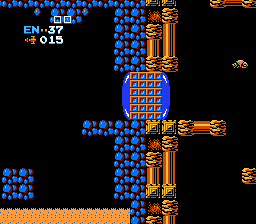
The game loads when you press Play · press “Play Now” inside the game if it asks.
Metroid (Japan) (Rev 3) (3DS Virtual Console)
Metroid
Metroid Overview
- Famicom Disk System
- Action
- 5· 0 votes
GAME INFO
- Platform
- Famicom Disk System
- Genre
- Action
- Publisher
- Nintendo
- Developer
- Nintendo Research & Development 1
- Released
- 1986
- Players
- 1
- Region
- Japan
- Version
- Rev 3
More Metroid Games
Ready for another round? Explore more Metroid games and console editions. Choose a game below to play it on its own page.
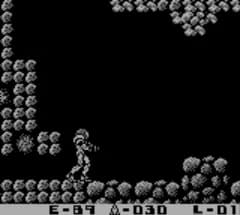
How to play Metroid online
Getting Started
When you start Metroid, you'll see a title screen in Japanese. Press the Start key (Enter) to begin. The game immediately drops you into Brinstar, the first area. You control Samus using the D-Pad to move left or right and pressing X to jump. Hold the S key to run (hold B while moving) and press S to shoot your standard beam. Remember that your weapon fires straight ahead - you cannot aim diagonally, so position yourself carefully.
The core loop is exploration and combat. Your goal is to find the elevator to each new area, collect power-ups like the Morph Ball (lets you roll into small passages) and the Ice Beam (freezes enemies), and eventually reach the final boss, Ridley, and then Mother Brain. Key items are hidden in plain sight - shoot walls and floor blocks to reveal secret passages. Keep an eye on your health; it depletes quickly. You can restore health by collecting energy refills from defeated enemies or hidden items.
Metroid originally used a password system (displayed when you continue after dying). Write down the password to resume from that point. The 3DS Virtual Console version also includes save states, accessible from the emulator menu - use them freely. Since all menus are in Japanese, rely on the visual layout: the first option on the title screen is usually New Game, and the second is Password. Take your time exploring - Zebes has no map, so mentally mapping the corridors is part of the challenge.
CONTROLS
Controls
- Arrow Keys: D-Pad / Movement
- X: A button (jump / confirm)
- S: B button (run / attack / cancel)
- Enter: Start / Pause
- V: Select
Metroid FAQ
Who developed Metroid?
Nintendo developed and published the original Metroid. The game was created by a team that included Makoto Kano and Gunpei Yokoi, among others. It was one of the first titles to combine action with nonlinear exploration.
What type of game is Metroid?
Metroid is an action-adventure game with a heavy emphasis on exploration and power-up progression. It is widely considered the first entry in the Metroidvania subgenre, known for its interconnected world and ability-gated secrets.
Can players save progress in Metroid?
The original Famicom Disk System version allowed saving to the disk, but the password system was used on the NES cartridge version. On the 3DS Virtual Console release, players can use save states and the built-in restore point feature to save progress at any time.
You may also like
All Famicom Disk System games Aki to Tsukasa no Fushigi no Kabe
 Yume Koujou - Doki Doki Panic
 Bishoujo Hanafuda Club Vol.2 - Koikoi Bakappana Hen
 Bishoujo Shashinkan - Studio Cut
 Bishoujo Sexy Slot
 Bishoujo Hanafuda Club Vol.1 - Oichokabu Hen
 Transformers - The Headmasters
 Bakutoushi Patton-kun
 Aliens - Alien 2
 Tenshitachi no Houkago
 Backgammon
 Chitei Tairiku Ordola
GAME INFO
- Platform
- Famicom Disk System
- Genre
- Action
- Publisher
- Nintendo
- Developer
- Nintendo Research & Development 1
- Released
- 1986
- Players
- 1
- Region
- Japan
- Version
- Rev 3
COMMENTS (0)
No comments yet. Be the first to share your thoughts.