Ninja Golf (Europe)
Ninja Golf (Europe): A7800 Action
Ninja Golf is one of the most bizarre and memorable titles in the Atari 7800 library. Released in 1990 by Atari Corporation, this cartridge blurs the line between action and sports in a way that still feels fresh decades later. Developed by Blue Sky Software, the game came out in both North America and Europe, so the European version is essentially the same as the US release.
How to Play Ninja Golf (Europe) Online
Getting Started
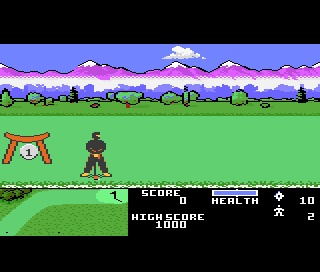
When you start Ninja Golf, press Enter (Start) to begin. Your character automatically moves to the right through a scrolling landscape filled with enemy ninjas, samurai, and other hazards. Use the D-Pad to move up, down, left, or right on the screen. Press S to attack with punches and kicks, and use X to jump over obstacles or onto platforms. The goal is to fight your way to the end of the level, where a golf hole awaits.
After clearing the enemies, you enter a top-down golfing segment. Here, you must press the appropriate button to swing the golf club, timing your press to set power and direction. The wind and terrain affect your shot. Once you sink the ball into the hole, you move to the next level, which again begins with combat. The cycle repeats, mixing action and golf in an unpredictable way.
New players should know that the combat is straightforward but can be tricky due to enemy patterns. Focus on staying mobile and using jump kicks to hit multiple foes. The golf segments require patience - don't rush your swing. There is no save feature, so you must complete the game in one session. The game has a continues system, but it does not carry over progress.
Ninja Golf (Europe) Keyboard Controls
Controls
- Arrow Keys: Joystick
- X: Button 1
- S: Button 2
- Enter: Pause
- V: Select






Comments (0)