CHOOSE A VERSION
2 versions · same consoleChoose an original release, regional version, revision, bootleg or clearly labelled ROM hack/mod, then press Play. Hacks may change the gameplay. Switching versions restarts the player.
Selected: Default · Original · Europe
The game loads when you press Play · press “Play Now” inside the game if it asks.
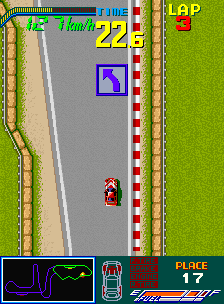
Chequered Flag
Chequered Flag
Chequered Flag: arcade Racing
GAME INFO
- Platform
- Arcade
- Genre
- Racing
- Publisher
- Sinclair Research
- Developer
- Psion Software
- Released
- 1983
- Players
- 1
- Region
- Europe
How to play Chequered Flag online
CONTROLS
Controls
- Arrow Keys: Joystick / Movement
- X: Button 1
- S: Button 2
- Z: Button 3
- A: Button 4
- Q: Button 5
- E: Button 6
- Enter: Start / 1P
- V: Coin / Insert
Chequered Flag FAQ
Roughly how long does it take to finish Chequered Flag?
Completing a full race of several laps typically takes a few minutes. There's no story or campaign, so finishing means beating the track in a reasonable time. Most sessions last between 5 and 10 minutes.
What makes Chequered Flag stand out among Arcade titles of its era?
It was one of the first driving games on the ZX Spectrum, aiming for simulation-like handling rather than pure arcade action. Its top-down view and gear shifting mechanic set it apart from simpler racers of the time.
In what year was Chequered Flag originally released?
Chequered Flag was originally released in 1983.
You may also like
All Arcade games











GAME INFO
- Platform
- Arcade
- Genre
- Racing
- Publisher
- Sinclair Research
- Developer
- Psion Software
- Released
- 1983
- Players
- 1
- Region
- Europe
COMMENTS (0)
No comments yet. Be the first to share your thoughts.