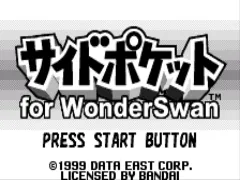
The game loads when you press Play · press “Play Now” inside the game if it asks.
Side Pocket (J) [M]
Side Pocket
Side Pocket Overview
- WonderSwan
- Sports
- 5· 0 votes
GAME INFO
- Platform
- WonderSwan
- Genre
- Sports
- Region
- Japan
How to play Side Pocket online
Getting started: When you boot the game, you'll see a title screen with a few Japanese menu options. The first option is usually the main game (1 Player mode). Press X to confirm. You then choose your skill level (Easy, Normal, Hard) using the D-Pad and X. After that, you're at the pool table.
The core loop is straightforward: line up your shot by moving the cue ball icon with the D-Pad, then set the power gauge by pressing and releasing A (or B) depending on the control. Aim carefully, because the ball physics are surprisingly realistic for a handheld port. The objective is to pocket all your assigned balls (solids or stripes) and then the 8-ball, just like in standard 8-ball pool.
Since the game is entirely in Japanese, the menus can be tricky if you don't read the language. However, the pool gameplay itself is largely visual, so you can figure it out by trial and error. The same controls and flow apply to the practice and two-player modes, though the latter requires a second WonderSwan and link cable. Stick to the 1 Player mode to start.
CONTROLS
Controls
- Arrow Keys: D-Pad / Movement
- X: A button
- S: B button
- Enter: Start
- V: Sound
Side Pocket FAQ
Roughly how long does it take to finish Side Pocket?
A single game of 8-ball pool takes about 5 to 15 minutes depending on skill. There is no traditional story or campaign, so you can play indefinitely against the CPU at increasing difficulty levels.
Is Side Pocket an official release, a fan hack, a prototype, or another kind of build?
This is an official commercial release of the arcade game ported to WonderSwan. It was distributed physically in Japan during the console's lifetime.
Is Side Pocket exclusive to WonderSwan or did it appear on other systems?
Side Pocket originally appeared in arcades and was ported to the NES, Game Boy, Genesis, SNES, and Game Gear. The WonderSwan version is one of the later ports.
You may also like
All WonderSwan games Digimon Adventure 02 - D1 Tamers
 Alchemist Marie & Elie - Futari no Atelier
 Dragonball
 Uchuu Senkan Yamato
 Hunter X Hunter - Greed Island
 Pocket Fighter
 Digimon Digital Monsters - Anode & Cathode Tamer - Veedramon Version
 Puzzle Bobble
 Digimon Tamers - Brave Tamer
 Digimon Tamers - Digimon Medley
 From TV Animation - One Piece - Niji no Shima Densetsu
 Rockman EXE WS
GAME INFO
- Platform
- WonderSwan
- Genre
- Sports
- Region
- Japan
COMMENTS (0)
No comments yet. Be the first to share your thoughts.