The game loads when you press Play · press “Play Now” inside the game if it asks.
Who Shot Johnny Rock
Who Shot Johnny Rock
Getting to Know Who Shot Johnny Rock
GAME INFO
How to play Who Shot Johnny Rock online
Getting Started
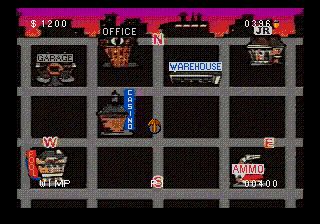
When you boot up Who Shot Johnny Rock? on Sega CD, you'll be greeted with a title screen and then a brief intro sequence. This is a light-gun style shooter, but since you're playing on an emulator, you'll use the mouse or a controller's cursor to aim. The game uses full-motion video: you watch a scene unfold and must shoot at criminals when they appear on screen. There's no traditional movement - just point, shoot, and avoid shooting innocent bystanders.
The core loop is simple: a stage loads, bad guys pop up from behind cover, and you blast them before they shoot you. You have a limited amount of ammo and must reload periodically by aiming off-screen. You also have a limited number of lives. Miss too many shots or get hit too often and it's game over. The Sega CD port uses a cursor controlled by the D-pad or mouse, so practice aiming quickly. There are multiple scenes and a final showdown. The game is short but challenging, typical of the arcade-to-home port experience.
CONTROLS
Controls
- Arrow Keys: D-Pad / Movement
- X: A button
- S: B button
- Z: C button
- A: X button (6-button pad)
- Q: Y button (6-button pad)
- E: Z button (6-button pad)
- Enter: Start / Mode
Who Shot Johnny Rock FAQ
Who developed Who Shot Johnny Rock?
American Laser Games developed the original arcade version. They were known for a string of live-action light-gun shooters like Mad Dog McCree and Space Pirates.
What type of game is Who Shot Johnny Rock?
It is a full-motion video (FMV) rail shooter. The player watches live-action footage and uses a light gun or cursor to shoot at enemies that appear on screen.
Which regions was Who Shot Johnny Rock released in?
The arcade version was released worldwide. The Sega CD version was primarily released in North America.

COMMENTS (0)
No comments yet. Be the first to share your thoughts.