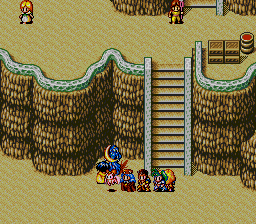
The game loads when you press Play · press “Play Now” inside the game if it asks.
Lunar 2 - Eternal Blue
Lunar 2 - Eternal Blue
Inside Lunar 2 - Eternal Blue
GAME INFO
How to play Lunar 2 - Eternal Blue online
CONTROLS
Controls
- Arrow Keys: D-Pad / Movement
- X: A button
- S: B button
- Z: C button
- A: X button (6-button pad)
- Q: Y button (6-button pad)
- E: Z button (6-button pad)
- Enter: Start / Mode
Lunar 2 - Eternal Blue FAQ
Is Lunar 2 - Eternal Blue considered easy to pick up or challenging?
It sits comfortably in the middle of the difficulty spectrum for 16-bit JRPGs. The random encounters are frequent but manageable if you keep your party well-equipped and use healing items. Some boss fights require strategy and elemental weaknesses, but the game rarely feels unfair. It is more story-driven than punishing, so most players can get through it with a bit of patience.
What makes Lunar 2 - Eternal Blue stand out among SEGA CD titles of its era?
The integration of full-motion video cutscenes and voice acting was groundbreaking for a home console RPG in the mid-90s. Working Designs' localization added a lot of personality, with witty dialogue and references that gave the game a distinct feel. The hand-drawn sprite art and detailed backgrounds also set it apart from many SEGA CD games that relied on digitized graphics.
Is Lunar 2 - Eternal Blue exclusive to SEGA CD or did it appear on other systems?
The original version of Eternal Blue was released only for the SEGA CD (Mega CD in Japan) and the Japan-exclusive Mega CD version came out a year earlier. In 1999, a greatly expanded remake titled Lunar 2: Eternal Blue Complete was released for the PlayStation in both Japan and North America. That version added new characters, a remastered soundtrack, and improved graphics, but the SEGA CD original remains a distinct experience.

COMMENTS (0)
No comments yet. Be the first to share your thoughts.