The game loads when you press Play · press “Play Now” inside the game if it asks.
NASCAR 99 (USA)
NASCAR 99
NASCAR 99 Overview
- PlayStation PSX
- Racing
- 5· 0 votes
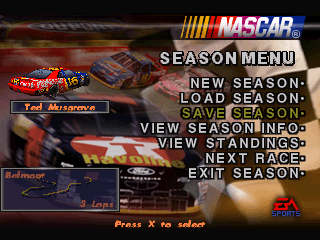
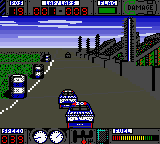
NASCAR 99 on the PlayStation PSX is a stock car racing simulation released in 1998 for the North American market. Published by EA Sports and developed by Stormfront Studios, it was one of the earliest NASCAR titles to arrive on Sony's console, arriving during a period when the sport's national popularity was surging. It is an officially licensed product featuring the 1998 NASCAR Winston Cup Series teams, drivers, and tracks, presenting itself as a genuine season simulation rather than an arcade spin-off.
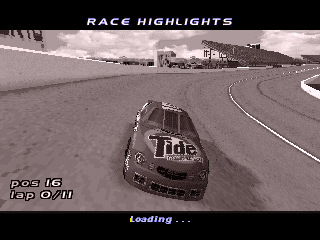
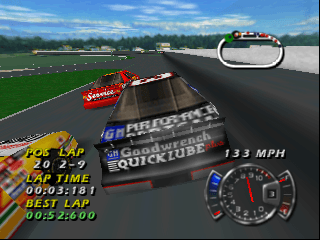
The core experience centers on taking a real-world stock car through full race weekends across authentic NASCAR speedways. You can jump into a single exhibition race, tackle a full championship season, or run practice and qualifying laps to dial in your car's setup. Tuning options range from gear ratios and tire pressures to suspension tweaks, each affecting handling on the high banks. Races unfold with a full field of 37 computer-controlled opponents, damage modeling that affects performance, and occasional caution flags that bunch the pack back together.
What makes this entry still notable today is its snapshot of a specific era in both motorsports and console gaming. The physics lean more toward accessible console fun than hardcore simulation, though they demand more patience than later arcade-inspired NASCAR titles. With a two-player split-screen mode and a full season grind, it fills a nice spot on a PSX racing shelf. It isn't the deepest game of its kind, but for a straightforward 1998 season recreation, it delivers exactly what it promises.
GAME INFO
- Platform
- PlayStation PSX
- Genre
- Racing
- Publisher
- EA Sports
- Developer
- EA Sports
- Released
- 1998
- Players
- 1-2
- Region
- USA
More NASCAR Games
Ready for another round? Explore more NASCAR games and console editions. Choose a game below to play it on its own page.

How to play NASCAR 99 online
Controls
Use these keys to play NASCAR 99 on EmulatorJS:
Getting Started
After booting up, you'll land on a main menu with options like Quick Race, Season, and Practice. Quick Race is the easiest way to hit the track immediately; you pick a driver, a track, and a race length, then the game drops you into a starting grid. If you want a longer commitment, Season mode lets you run the full 1998 Winston Cup schedule, tracking points and standings across each event. Before the green flag, it is smart to spend a few laps in Practice or Qualifying to get a feel for the chosen circuit. Car setup adjustments are tucked inside the garage menus, but a beginner can ignore them at first and still be competitive on lower difficulty settings. Managing your speed in the corners is far more important than raw acceleration; lifting off the throttle early for turns prevents spinning into the wall. During races, pay attention to your tire wear indicator and the position of other cars. Pitting under caution for fresh rubber can make a huge difference in the closing laps. The two-player split-screen mode works with this exact keyboard mapping, so a friend can grab the remaining keys and join in for quick head-to-head sessions without any extra configuration.CONTROLS
Controls
- Arrow Keys: D-Pad / Movement
- X: Cross ( × )
- S: Square ( □ )
- Z: Triangle ( △ )
- A: Circle ( ○ )
- Q: L1 shoulder
- E: R1 shoulder
- Enter: Start
- V: Select
NASCAR 99 FAQ
Who developed NASCAR 99?
The game was developed by EA Sports, a well-known name in sports video games.
Does NASCAR 99 have a multiplayer or co-op mode?
NASCAR 99 includes multiplayer options, allowing players to race against each other, which adds a competitive edge to the gameplay.
Is NASCAR 99 considered easy to pick up or challenging?
While NASCAR 99 is accessible for new players, mastering the controls and strategies can be challenging, especially at higher difficulty levels.
You may also like
All PlayStation PSX games











GAME INFO
- Platform
- PlayStation PSX
- Genre
- Racing
- Publisher
- EA Sports
- Developer
- EA Sports
- Released
- 1998
- Players
- 1-2
- Region
- USA
COMMENTS (0)
No comments yet. Be the first to share your thoughts.