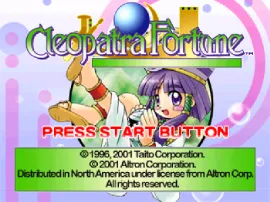
Cleopatra's Fortune
Inside Cleopatra's Fortune
Cleopatra's Fortune is a unique title for the PlayStation, released in the late 1990s. This game falls under the puzzle genre and is known for its engaging mechanics that challenge players' strategic thinking. While the exact developer is not widely documented, it captures the essence of the era's puzzle games, making it a noteworthy addition to any retro gaming collection.
In Cleopatra's Fortune, players navigate a series of puzzles that involve matching symbols to progress through levels. The gameplay is structured around solving these puzzles within a time limit, which adds an element of urgency. Players must utilize their wits and quick reflexes to achieve high scores and unlock new challenges as they advance.
Today, Cleopatra's Fortune is worth trying for those who appreciate classic puzzle games. It offers a nostalgic experience reminiscent of the genre's golden age on the PlayStation. While it may not have the widespread recognition of other titles, it provides a simple yet captivating challenge that can be quite rewarding for puzzle enthusiasts and collectors alike.
How to Play Cleopatra's Fortune Online
Getting started in Cleopatra's Fortune begins with selecting your game mode from the main menu. Once you dive into a level, your primary objective will be to solve the puzzles presented to you. Each puzzle requires you to match symbols or colors within a set time, so keep an eye on the clock and plan your moves strategically.
As you progress through the game, you'll encounter different types of puzzles that increase in complexity. Make sure to familiarize yourself with the mechanics early on, as this will help you maximize your score and unlock additional content. Although the game may be in Japanese, the intuitive nature of the gameplay should allow players to navigate through menus and options without much difficulty.
Cleopatra's Fortune Keyboard Controls
Controls
- Arrow Keys — D-Pad / Movement
- X — Cross ( × )
- S — Square ( □ )
- Z — Triangle ( △ )
- A — Circle ( ○ )
- Q — L1 shoulder
- E — R1 shoulder
- Enter — Start
- V — Select






Comments (0)