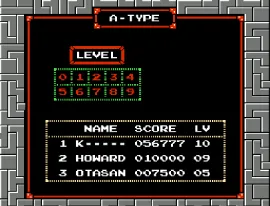
Tetris (Europe)
Tetris (Europe) - Puzzle Classic
Tetris (Europe) is a classic puzzle game released for the Nintendo Entertainment System. Originating from the Soviet Union and developed by Alexey Pajitnov, this version made its way to Europe in the late 1980s and early 1990s. The NES adaptation captures the essence of the original arcade experience, allowing players to enjoy this iconic title on a home console.
In Tetris, players manipulate falling blocks, known as Tetriminos, with the objective of creating complete lines on the game grid. When a line is successfully completed, it disappears, earning the player points. The game speeds up as players progress, adding to the challenge as they strive to prevent the blocks from stacking to the top of the screen. Maintaining focus and quick reflexes is crucial as the game becomes increasingly difficult.
This title remains an essential part of retro gaming history, showcasing the simple yet addictive gameplay that has influenced countless sequels and adaptations. While it might seem straightforward, the challenge of mastering Tetris lies in the strategic placement of pieces and anticipating future blocks. For fans of puzzle games or those looking to experience a piece of gaming history, Tetris on the NES is definitely worth a try.
How to Play Tetris (Europe) Online
Getting started with Tetris involves selecting the game mode and beginning to manipulate the falling Tetriminos right away. The core loop revolves around arranging these blocks to form complete horizontal lines. As you clear lines, new blocks continue to fall, challenging your ability to keep the play area clear.
It's essential to think ahead and plan your moves strategically. Pay attention to the upcoming pieces and try to create opportunities for clearing multiple lines at once, as this can earn you more points. The game continues until the blocks reach the top, so maintaining a steady pace and keeping the play area organized is key to achieving a high score.
Tetris (Europe) Keyboard Controls
Controls
- Arrow Keys — D-Pad / Movement
- X — A button (jump / confirm)
- S — B button (run / attack / cancel)
- Enter — Start / Pause
- V — Select






Comments (0)