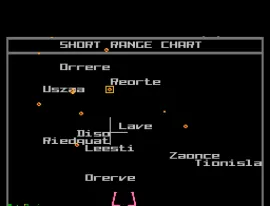
Elite (NTSC Demo)
Inside Elite (NTSC Demo)
Elite (NTSC Demo) is a demo version of the classic space trading and combat simulation game originally designed for the home computer market. Developed by David Braben and Ian Bell, this demo was released for the Nintendo Entertainment System, showcasing a unique blend of exploration, trading, and combat mechanics that were revolutionary for its time. As a demo, it serves as a limited but intriguing glimpse into the gameplay that made the full version of Elite a cult classic among gamers.
In this demo, players take on the role of a space pilot navigating a vast galaxy filled with opportunities and dangers. The primary gameplay loop revolves around trading goods, upgrading your ship, and engaging in combat with other ships. Players can explore different star systems, interact with space stations, and make strategic decisions to build their fortune. While the demo is limited compared to the full game, it still captures the essence of trading and combat mechanics that defined the genre during the late 80s and early 90s.
Today, Elite (NTSC Demo) holds a special place in retro gaming history, especially for fans of simulation and space exploration games. Its influence can be seen in many modern titles that incorporate open-world exploration and trading elements. While it may not have the depth of the complete version, this demo is worth trying for those interested in the evolution of video games and the origins of the space trading genre, as well as for those who appreciate the nostalgia of NES gaming.
How to Play Elite (NTSC Demo) Online
Getting started with Elite (NTSC Demo) involves familiarizing yourself with the controls and exploring the game world. Begin by selecting your ship and navigating through the star systems available in the demo. Since this is a demo version, your options may be limited compared to the full game, but you can still experience the core mechanics of trading and combat.
As you explore, keep an eye on the resources you gather and the ships you encounter. Engaging in combat and trading successfully will help you upgrade your ship and enhance your capabilities. Make sure to experiment with different strategies as you navigate the demo's limited content, as this will provide a good understanding of the gameplay mechanics that were groundbreaking at the time.
Elite (NTSC Demo) Keyboard Controls
Controls
- Arrow Keys — D-Pad / Movement
- X — A button (jump / confirm)
- S — B button (run / attack / cancel)
- Enter — Start / Pause
- V — Select





Comments (0)