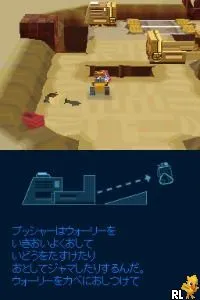
WALL-E (Japan)
What is WALL-E (Japan)?
WALL-E (Japan) is a game based on the popular Pixar film, released for the Nintendo DS. It was developed to coincide with the movie's launch, capturing the essence of the beloved character WALL-E. This title falls within the action-adventure genre, typical of many movie tie-ins during the DS era, although specific details about its development team remain unclear.
In this game, players control WALL-E as he navigates various environments, solving puzzles and overcoming obstacles. The gameplay focuses on exploration and interaction with the environment, requiring players to utilize WALL-E's abilities to progress. Collecting items and completing tasks are key elements, allowing players to unlock new areas and advance through the story.
Despite being a licensed title, WALL-E (Japan) is often seen as a straightforward experience, typical for games based on films during that period. While it may not offer the depth of more complex games, it holds a certain charm for those who appreciate its connection to the movie. For fans of the genre or those nostalgic for the DS library, it can still be an enjoyable, albeit simple, title worth revisiting.
How to Play WALL-E (Japan) Online
Getting started in WALL-E involves navigating the initial menus, which are presented in Japanese. Players will find it helpful to explore the options available, as the gameplay itself revolves around moving through levels while solving puzzles and collecting items. The core loop includes engaging with the environment, figuring out how to overcome obstacles, and interacting with various objects to progress.
As you play, focus on utilizing WALL-E's abilities effectively. Pay attention to the environment for clues or items that can assist in your journey. While the menus are in Japanese, basic navigation will become intuitive as you familiarize yourself with the game's layout and mechanics, allowing you to enjoy the experience despite the language barrier.
WALL-E (Japan) Keyboard Controls
Controls
- Arrow Keys — D-Pad / Movement
- X — A button
- S — B button
- Z — Y button
- A — X button
- Q — L shoulder
- E — R shoulder
- Enter — Start
- V — Select






Comments (0)