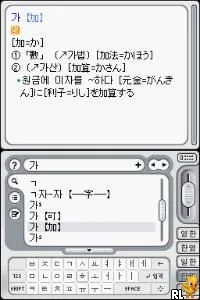
Touch Dictionary (Korea) (Rev 2)
Touch Dictionary (Korea) (Rev 2) Overview
Touch Dictionary (Korea) (Rev 2) is a revision title for the Nintendo DS that serves as a language learning tool, particularly focused on English and Korean. This game emerged during the DS era, a time when educational titles were becoming more popular on handheld consoles. While specific details about the developer and publisher are not widely documented, the game fits within the educational genre that often aims to enhance vocabulary and language skills through interactive gameplay.
How to Play Touch Dictionary (Korea) (Rev 2) Online
To get started with Touch Dictionary, players should select a language option and navigate through the available dictionaries. The core gameplay involves looking up words, utilizing touch controls to interact with the interface, and practicing pronunciation. It's essential to familiarize yourself with the layout as the menus might be in Korean, which could require some navigation skills.
As you progress, the game encourages repeated interaction with the words and phrases, reinforcing memory through practice. Engaging with the different dictionary entries and using the touch screen effectively can enhance your learning experience. While not particularly complex, it offers a straightforward approach to language learning that can be beneficial for beginners.
Touch Dictionary (Korea) (Rev 2) Keyboard Controls
Controls
- Arrow Keys — D-Pad / Movement
- X — A button
- S — B button
- Z — Y button
- A — X button
- Q — L shoulder
- E — R shoulder
- Enter — Start
- V — Select



Comments (0)