Squeeballs Party (Europe) (En,Fr,De,Es,It)
Squeeballs Party (Europe) (En,Fr,De,Es,It): NDS Action
Squeeballs Party (Europe) (En,Fr,De,Es,It) is a party game released for the Nintendo DS, offering a fun and engaging experience for players. It was developed by the team at 3D Avenue and published by the well-known company, Codemasters. This title falls into the party game genre, which was popular on platforms like the Nintendo DS during its heyday, providing a mix of mini-games and multiplayer fun.
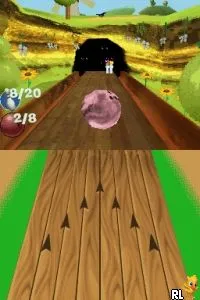
In Squeeballs Party, players engage in a series of mini-games featuring quirky characters called Squeeballs. The gameplay revolves around various challenges that test players' reflexes, timing, and strategy, often requiring quick thinking to succeed. Each mini-game has a unique objective, and players can compete against friends or AI, making it a versatile choice for gatherings or solo play.
This title is worth trying today, especially for fans of casual party games. While it may not have the depth or complexity of some other titles in the genre, its charm lies in the lighthearted fun it offers. The game's simple mechanics and approachable gameplay make it accessible for players of all ages, making it a great addition to any retro gaming library, especially for those looking to revisit the era of the Nintendo DS.
How to Play Squeeballs Party (Europe) (En,Fr,De,Es,It) Online
To get started with Squeeballs Party, choose your game mode from the main menu. You can select from various mini-games or opt for multiplayer options to enjoy with friends. Familiarizing yourself with the controls is key, as each mini-game may require different skills and strategies.
The core loop involves playing through a series of mini-games, where the objective is to score points by completing challenges. As you progress, you can unlock new games or levels, adding variety to your experience. Keep an eye on your performance to improve your skills and compete for high scores, either alone or with others.
Squeeballs Party (Europe) (En,Fr,De,Es,It) Keyboard Controls
Controls
- Arrow Keys — D-Pad / Movement
- X — A button
- S — B button
- Z — Y button
- A — X button
- Q — L shoulder
- E — R shoulder
- Enter — Start
- V — Select






Comments (0)