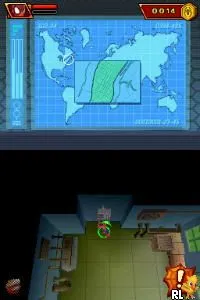
Spider-Man - Amigo o Enemigo (Spain)
Spider-Man - Amigo o Enemigo (Spain) - Action Classic
Spider-Man - Amigo o Enemigo is a Nintendo DS game that was released in Spain. This title falls under the action genre and is known for its engaging gameplay that revolves around the iconic Marvel superhero, Spider-Man. While specific details about the developer and publisher are not widely documented, the game is notable for being a localized version tailored for the Spanish market.
In this game, players navigate through various levels as Spider-Man, utilizing his web-slinging abilities and combat skills. The gameplay typically involves battling enemies and overcoming obstacles, with a focus on agility and timing. Players can expect to engage in both platforming elements and action-packed sequences, making use of the Nintendo DS's unique controls to enhance the experience.
Despite being a niche title, Spider-Man - Amigo o Enemigo is worth exploring for fans of the superhero genre or those looking for retro gaming experiences. It offers a glimpse into the era's approach to superhero games on handheld consoles. While it may not have the depth or polish of other major titles, it captures the essence of Spider-Man's adventures and provides a fun, albeit simple, gaming experience.
How to Play Spider-Man - Amigo o Enemigo (Spain) Online
To get started, select the game from your Nintendo DS menu. Once you’re in, familiarize yourself with the controls as they are essential for mastering Spider-Man's movements. The game typically begins with a tutorial or an introductory level that guides you through basic mechanics and objectives.
The core gameplay loop revolves around navigating levels, defeating enemies, and completing missions. Players will need to utilize Spider-Man's unique abilities, such as web-slinging and combat skills, to progress. Keep an eye out for environmental puzzles and challenges that may require quick reflexes and strategic thinking to overcome.
Spider-Man - Amigo o Enemigo (Spain) Keyboard Controls
Controls
- Arrow Keys — D-Pad / Movement
- X — A button
- S — B button
- Z — Y button
- A — X button
- Q — L shoulder
- E — R shoulder
- Enter — Start
- V — Select






Comments (0)