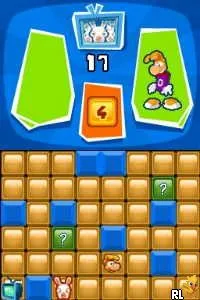
Rabbids Party - TV Party (Japan)
What is Rabbids Party - TV Party (Japan)?
Rabbids Party - TV Party is a party game developed for the Nintendo DS, released exclusively in Japan. Part of the popular Rabbids franchise, it offers a collection of mini-games featuring the mischievous Rabbids. This title is notable for its unique blend of humor and engaging gameplay, typical of the party game genre during the Nintendo DS era.
In this game, players engage in a variety of mini-games that test their reflexes and strategy. The gameplay is structured around completing these mini-games to earn points, which can be used to unlock additional content. With a focus on multiplayer fun, it encourages competition and cooperation among friends, making it a great choice for group play.
Rabbids Party - TV Party holds a special place in the library of Nintendo DS titles, especially for fans of party games. While it may not be as widely recognized as some of its contemporaries, it offers a unique experience that combines humor and competitive gaming. For those looking for a lighthearted game to enjoy with friends, this title provides a nostalgic glimpse into the playful spirit of the Rabbids series.
How to Play Rabbids Party - TV Party (Japan) Online
Getting started in Rabbids Party - TV Party involves navigating the main menu, which is presented in Japanese. Players should familiarize themselves with the layout to choose mini-games or adjust settings. The core gameplay loop revolves around participating in various mini-games, earning points, and competing against friends.
As players progress, they can unlock new mini-games and challenges. It's essential to understand the mechanics of each mini-game, as they can vary significantly. Players should pay attention to the instructions at the beginning of each game to maximize their chances of winning and enjoy the spirited competition that defines the Rabbids experience.
Rabbids Party - TV Party (Japan) Keyboard Controls
Controls
- Arrow Keys — D-Pad / Movement
- X — A button
- S — B button
- Z — Y button
- A — X button
- Q — L shoulder
- E — R shoulder
- Enter — Start
- V — Select






Comments (0)