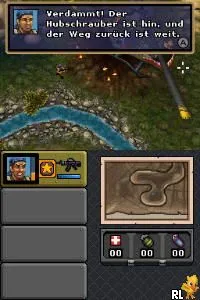
Operation - Vietnam (Germany)
Operation - Vietnam (Germany) - Action Classic
Operation - Vietnam (Germany) is a game released for the Nintendo DS, known for its action-packed gameplay. This title is a fan-made hack that brings a unique experience to players familiar with the genre. While not widely documented, it reflects the era's trends in handheld gaming, where action and strategy often merged for engaging gameplay.
In this game, players engage in various combat scenarios set during the Vietnam War. The mechanics revolve around navigating through levels, overcoming obstacles, and engaging in battles against enemies. Players must utilize their skills to complete missions, which often involve strategic thinking and quick reflexes, typical of action games during the Nintendo DS era.
What makes Operation - Vietnam worth trying today is its nostalgic value and the unique perspective it offers on a historical conflict. While it may not have the widespread acclaim of other titles, it serves as a reminder of the diverse range of games available on the Nintendo DS. Fans of action games or those interested in niche titles may find enjoyment in exploring this lesser-known entry in the DS library.
How to Play Operation - Vietnam (Germany) Online
Getting started in Operation - Vietnam involves selecting your mission and familiarizing yourself with the controls. The core loop typically consists of navigating through enemy-infested territories, engaging in combat, and completing objectives. Players need to manage their resources and strategize their approach to tackle the challenges presented in each level.
As you progress, pay attention to enemy patterns and learn to adapt your strategy accordingly. Timing and precision are crucial, especially in combat situations. Understanding the layout of each level and the strengths and weaknesses of your character will enhance your gameplay experience significantly.
Operation - Vietnam (Germany) Keyboard Controls
Controls
- Arrow Keys — D-Pad / Movement
- X — A button
- S — B button
- Z — Y button
- A — X button
- Q — L shoulder
- E — R shoulder
- Enter — Start
- V — Select






Comments (0)