My Puppy Shop (Europe) (En,Fr,De,Es,It,Nl,Sv,Da)
My Puppy Shop (Europe) (En,Fr,De,Es,It,Nl,Sv,Da) Overview
My Puppy Shop (Europe) (En,Fr,De,Es,It,Nl,Sv,Da) is a simulation game for the Nintendo DS, released in Europe. Developed by a lesser-known team, this title immerses players in the world of puppy care and management. The game falls under the simulation genre, which was popular on the DS, capitalizing on the platform's touch controls and family-friendly appeal.
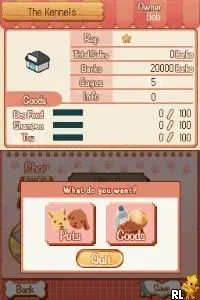
In My Puppy Shop, players take on the role of a pet shop owner, managing various tasks related to puppy care. This includes feeding, grooming, and playing with the puppies to keep them happy and healthy. Players will also interact with customers, helping them choose the right puppy for their needs. The gameplay is structured around daily routines and tasks, giving players a sense of progression as they manage their shop and expand their offerings.
This title is worth trying today if you're interested in casual simulation games. While it may not have the depth of some larger titles, its charm lies in its simplicity and accessibility. Compared to other simulation games from its era, My Puppy Shop offers a light-hearted experience that can be enjoyed by players of all ages, making it a nice addition to any retro gaming collection.
How to Play My Puppy Shop (Europe) (En,Fr,De,Es,It,Nl,Sv,Da) Online
Getting Started: To begin playing My Puppy Shop, choose a new game from the main menu. You'll start by selecting your initial puppy and setting up your shop. The core gameplay loop revolves around managing the puppies, fulfilling customer requests, and upgrading your shop with new features and items.
As you progress, remember to keep an eye on the puppies' needs, such as food and playtime. You'll want to create a welcoming environment for customers by maintaining a clean and inviting shop. Balancing these responsibilities will help you grow your business and keep both the puppies and your customers happy.
My Puppy Shop (Europe) (En,Fr,De,Es,It,Nl,Sv,Da) Keyboard Controls
Controls
- Arrow Keys — D-Pad / Movement
- X — A button
- S — B button
- Z — Y button
- A — X button
- Q — L shoulder
- E — R shoulder
- Enter — Start
- V — Select






Comments (0)