Moon (Europe) (En,Fr,De,Es,It)
About Moon (Europe) (En,Fr,De,Es,It)
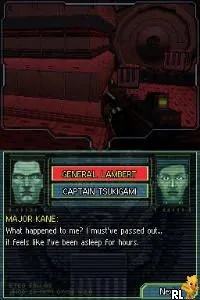
Moon (Europe) (En,Fr,De,Es,It) is a unique title for the Nintendo DS that blends elements of action and adventure genres. Released in Europe, it showcases the creative potential of the platform during its heyday. The game was developed by a lesser-known studio, which adds to its charm and intrigue among collectors and retro gaming enthusiasts alike.
In Moon, players navigate through various environments, engaging in combat and exploration. The gameplay mechanics emphasize shooting and traversal, with players taking on the role of a character who must uncover the mysteries of the lunar landscape. As players progress, they encounter different enemies and challenges that require strategic thinking and quick reflexes.
What makes Moon worth trying today is its distinctive approach to gameplay and its place in the Nintendo DS library. While it may not have the widespread recognition of blockbuster titles from the era, it offers a niche experience that appeals to those who appreciate innovative design. Fans of action-adventure games will find value in its unique mechanics and atmospheric setting, making it a hidden gem worth exploring.
How to Play Moon (Europe) (En,Fr,De,Es,It) Online
Getting started in Moon involves selecting your character and familiarizing yourself with the controls. Once in the game, explore the different areas of the moon while engaging in combat with various enemies. The core loop revolves around combat, exploration, and uncovering the game's mysteries.
As you play, focus on upgrading your abilities and weapons to enhance your character's effectiveness. Pay attention to the environment and use it to your advantage during battles. Mastering the mechanics will help you navigate through challenges and enjoy the unique experience that Moon offers.
Moon (Europe) (En,Fr,De,Es,It) Keyboard Controls
Controls
- Arrow Keys — D-Pad / Movement
- X — A button
- S — B button
- Z — Y button
- A — X button
- Q — L shoulder
- E — R shoulder
- Enter — Start
- V — Select






Comments (0)