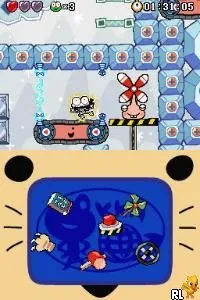
Metal Max 2 - Reloaded (English v1.0 Final)
What is Metal Max 2 - Reloaded (English v1.0 Final)?
Metal Max 2 - Reloaded (English v1.0 Final) is a fan translation of the classic RPG originally released for the Super Famicom. This version was adapted for the Nintendo DS, allowing English-speaking players to experience the game for the first time. The title is part of the Metal Max series, known for its unique blend of post-apocalyptic themes and vehicular combat mechanics.
In this game, players explore a vast open world, engage in turn-based battles, and customize their vehicles and characters. The gameplay emphasizes freedom, allowing players to approach quests in various ways. You'll encounter a mix of monsters and human foes while completing missions, finding treasures, and upgrading your gear, which is a hallmark of the RPG genre from this era.
Metal Max 2 - Reloaded is worth trying today for fans of retro RPGs and those who appreciate unique translation efforts. It captures the essence of the original while making it accessible to a broader audience. While it may not be as polished as some mainstream titles, it offers a nostalgic experience that resonates with those familiar with the genre's conventions and the charm of classic gaming.
How to Play Metal Max 2 - Reloaded (English v1.0 Final) Online
To get started, begin by selecting your character and customizing your vehicle. The game unfolds in a post-apocalyptic world where you'll navigate through various towns and landscapes. Completing quests and battling enemies will help you level up and improve your equipment.
As you progress, keep an eye on your vehicle's upgrades. They are crucial for overcoming tougher challenges and navigating the expansive map. The core loop involves exploring, battling, and upgrading, with an emphasis on player choice in how to tackle quests and engage with the world.
Metal Max 2 - Reloaded (English v1.0 Final) Keyboard Controls
Controls
- Arrow Keys — D-Pad / Movement
- X — A button
- S — B button
- Z — Y button
- A — X button
- Q — L shoulder
- E — R shoulder
- Enter — Start
- V — Select

Comments (0)