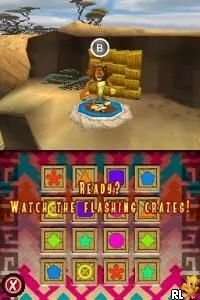
Madagascar - Escape 2 Africa (Europe)
Getting to Know Madagascar - Escape 2 Africa (Europe)
Madagascar - Escape 2 Africa for the Nintendo DS is a platform game released in Europe. It is based on the animated movie franchise and developed by a team that is not widely documented. This title fits into the action-adventure genre, common for games from this era, aiming to appeal to fans of the film and younger audiences alike.
In the game, players take control of characters from the Madagascar film series, embarking on various missions across different levels. The gameplay involves navigating through environments, solving puzzles, and overcoming obstacles. Each character has unique abilities that players can utilize to progress, making the game a mix of platforming and light puzzle-solving mechanics.
What makes Madagascar - Escape 2 Africa worth trying today is its nostalgic connection to the popular film franchise and its accessibility on the Nintendo DS. While it may not be as complex or renowned as some other titles from the same era, it offers a light-hearted experience perfect for younger gamers or those looking for a casual playthrough. Its simple mechanics and colorful graphics provide a charming glimpse into the gaming landscape of the late 2000s.
How to Play Madagascar - Escape 2 Africa (Europe) Online
Getting started in Madagascar - Escape 2 Africa involves selecting a character and diving into the first level. Players will navigate through vibrant environments, collecting items and completing objectives specific to each level. The core gameplay loop revolves around using each character’s unique abilities to overcome obstacles and progress through the game.
As you play, be mindful of the various challenges that require different strategies. Timing jumps and utilizing character skills effectively can make a difference in clearing levels. Familiarizing yourself with the controls and understanding the strengths of each character will enhance your overall experience.
Madagascar - Escape 2 Africa (Europe) Keyboard Controls
Controls
- Arrow Keys — D-Pad / Movement
- X — A button
- S — B button
- Z — Y button
- A — X button
- Q — L shoulder
- E — R shoulder
- Enter — Start
- V — Select






Comments (0)