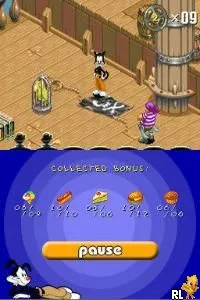
Let's Draw! (Europe) (En,Es,It)
Let's Draw! (Europe) (En,Es,It) on NDS
Let's Draw! (Europe) (En,Es,It) for the Nintendo DS is an engaging educational game that encourages creativity through drawing. Released in Europe, it brings a unique twist to the DS library, allowing players to create and share their artwork. Developed by the Nintendo team, this title exemplifies the interactive and artistic potential of handheld gaming during the DS era.
In the game, players utilize the stylus to draw on the touchscreen, creating various images based on prompts that range from simple shapes to more complex objects. The mechanics are straightforward, focusing on freehand drawing while providing a fun environment to explore artistic expression. Players can save their creations and even share them with others, fostering a sense of community and collaboration among players.
Today, Let's Draw! holds a niche appeal within the Nintendo DS collection. While it may not have the widespread recognition of blockbuster titles, its emphasis on creativity and user-generated content sets it apart from other games of its time. If you're looking for a title that encourages artistic exploration rather than competition, this game is definitely worth a try, especially for those who appreciate educational and creative gameplay experiences.
How to Play Let's Draw! (Europe) (En,Es,It) Online
Getting started in Let's Draw! involves selecting a drawing prompt from the main menu. After choosing a prompt, players will enter a drawing interface where they can use the stylus to create their artwork. The game encourages experimentation, so feel free to explore different styles and techniques as you draw.
The core loop revolves around completing drawing challenges and sharing your creations. As you progress, you will unlock more complex prompts and features. It's important to familiarize yourself with the stylus controls to make the most of your creative experience. Don't hesitate to revisit earlier prompts to improve your skills or try new approaches.
Let's Draw! (Europe) (En,Es,It) Keyboard Controls
Controls
- Arrow Keys — D-Pad / Movement
- X — A button
- S — B button
- Z — Y button
- A — X button
- Q — L shoulder
- E — R shoulder
- Enter — Start
- V — Select

Comments (0)