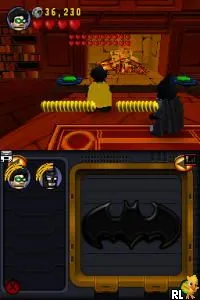
LEGO Batman - The Videogame (Europe) (En,Fr,De,Es,It,Da)
Inside LEGO Batman - The Videogame (Europe) (En,Fr,De,Es,It,Da)
LEGO Batman - The Videogame (Europe) (En,Fr,De,Es,It,Da) for the Nintendo DS is a fun action-adventure game developed by Traveller's Tales and published by Warner Bros. Interactive Entertainment. Released in 2008, it captures the essence of the LEGO franchise while immersing players in the world of Gotham City and its iconic characters. This version supports multiple languages, making it accessible to a wider audience across Europe.
In the game, players take on the roles of various superheroes and villains from the Batman universe. The gameplay involves solving puzzles, battling enemies, and collecting LEGO pieces to unlock new abilities and characters. Players can switch between characters with unique skills, which is essential for progressing through different levels and solving challenges. The cooperative gameplay allows for a more engaging experience, whether playing alone or with a friend.
This title remains a worthwhile experience for both LEGO and Batman fans. Its charming graphics and humorous take on the source material make it appealing, especially for younger players. While it may not have the depth of some modern titles, its straightforward mechanics and nostalgic charm offer a delightful trip back to the simpler gaming days of the DS era, making it a solid choice for anyone looking to revisit classic games.
How to Play LEGO Batman - The Videogame (Europe) (En,Fr,De,Es,It,Da) Online
To get started in LEGO Batman - The Videogame, choose your character and begin by exploring the vibrant levels filled with LEGO bricks. The core gameplay loop revolves around solving puzzles, defeating enemies, and collecting items to unlock new characters and abilities. Progressing through the game requires players to switch between characters to utilize their unique skills effectively.
LEGO Batman - The Videogame (Europe) (En,Fr,De,Es,It,Da) Keyboard Controls
Controls
- Arrow Keys — D-Pad / Movement
- X — A button
- S — B button
- Z — Y button
- A — X button
- Q — L shoulder
- E — R shoulder
- Enter — Start
- V — Select






Comments (0)