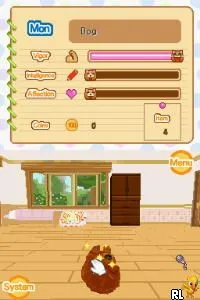
Imagine - Teacher (Europe) (En,Fr,De,Es,It,Nl,Pt,Sv,No,Da)
What is Imagine - Teacher (Europe) (En,Fr,De,Es,It,Nl,Pt,Sv,No,Da)?
Imagine - Teacher is a game for the Nintendo DS that falls under the educational genre. Released in Europe, it allows players to engage in various teaching scenarios and activities. While the specific developer and publisher aren’t widely documented, the Imagine series is known for its focus on simulation experiences aimed at younger audiences, using the unique capabilities of the DS platform.
In Imagine - Teacher, players take on the role of a teacher, managing a classroom and guiding students through different educational activities. The gameplay involves interacting with various mini-games that test and enhance skills in areas such as math, language, and creativity. The touch screen functionality of the DS is utilized to create an engaging learning environment, where players can solve problems and complete tasks that simulate real teaching challenges.
This title is a niche addition to the Nintendo DS library, primarily appealing to younger players or those interested in educational games. While it may not have the same recognition as other major titles from its era, it offers a unique experience that can be both entertaining and informative. For those looking to explore the educational genre on the DS, Imagine - Teacher provides a different flavor compared to more traditional gaming experiences, making it worth a try for fans of the genre.
How to Play Imagine - Teacher (Europe) (En,Fr,De,Es,It,Nl,Pt,Sv,No,Da) Online
Getting started with Imagine - Teacher involves selecting a teaching scenario from the main menu. Players will navigate through various options that lead to different activities, each focused on enhancing specific skills. The core loop consists of completing mini-games and tasks, which will help your virtual students progress in their learning journey.
As you engage with the game, pay attention to the feedback provided after each activity. This will guide your teaching methods and help improve your students' performance. Familiarizing yourself with the controls and the types of activities available will enhance your experience, allowing you to make the most of your time as a virtual teacher.
Imagine - Teacher (Europe) (En,Fr,De,Es,It,Nl,Pt,Sv,No,Da) Keyboard Controls
Controls
- Arrow Keys — D-Pad / Movement
- X — A button
- S — B button
- Z — Y button
- A — X button
- Q — L shoulder
- E — R shoulder
- Enter — Start
- V — Select

Comments (0)