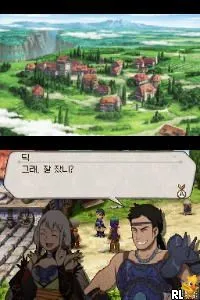
Hwansangsuhojeon - Tierkreis (Korea)
Hwansangsuhojeon - Tierkreis (Korea) Overview
Hwansangsuhojeon - Tierkreis is a title for the Nintendo DS that was released in Korea. This game falls within the RPG genre, featuring a blend of adventure and narrative elements typical of the platform's offerings. While specific details about the developer remain unclear, the game is recognized within the community and adds to the unique library of titles available on the DS.
In gameplay, players engage in a mix of exploration and combat, navigating through various environments while interacting with characters and completing quests. The mechanics align with traditional RPG conventions, allowing for character progression and skill development. Players will encounter a variety of challenges, which require strategic thinking and decision-making to overcome.
Today, Hwansangsuhojeon - Tierkreis holds a niche place in the retro gaming community. While it may not be as widely known as other RPGs from the era, it offers a unique experience for those interested in lesser-known titles. Exploring this game can provide insight into the diversity of the Nintendo DS library and the different approaches to storytelling and gameplay during that period.
How to Play Hwansangsuhojeon - Tierkreis (Korea) Online
To get started in Hwansangsuhojeon - Tierkreis, begin by selecting your character and familiarizing yourself with the in-game menu. As the game is primarily in Korean, it might take some time to navigate through the options. Pay attention to the quest prompts and dialogue, as they guide you through your objectives.
The core gameplay loop revolves around completing quests, battling enemies, and leveling up your character. Engaging in battles will require you to use a mix of strategy and skill, especially as you progress to more challenging areas. Keep an eye on your character's health and inventory, as managing resources is essential for success.
Hwansangsuhojeon - Tierkreis (Korea) Keyboard Controls
Controls
- Arrow Keys — D-Pad / Movement
- X — A button
- S — B button
- Z — Y button
- A — X button
- Q — L shoulder
- E — R shoulder
- Enter — Start
- V — Select

Comments (0)