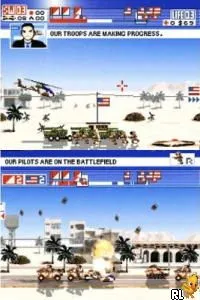
Glory Days 2 (Europe) (En,Fr,De,Es,It)
What is Glory Days 2 (Europe) (En,Fr,De,Es,It)?
Glory Days 2 (Europe) (En,Fr,De,Es,It) is a Nintendo DS game that falls within the action genre. Released in Europe, it provides support for multiple languages including English, French, German, Spanish, and Italian. The game was developed by a team known for creating engaging handheld experiences, although specific developer details are not widely documented.
In this title, players engage in strategic battles using a blend of ground and air combat. The gameplay emphasizes tactical decision-making, where you control a squadron of vehicles and must navigate various missions. Players can switch between different units, which adds a layer of depth to the combat mechanics, allowing for a more dynamic gameplay experience.
Today, Glory Days 2 holds a niche appeal among retro gaming enthusiasts. While it may not be as widely recognized as other action games from the DS era, it offers a unique blend of strategy and action that can be enjoyable for fans of the genre. Its straightforward mechanics and accessible gameplay make it a worthy title to try, especially for those looking to explore lesser-known gems on the Nintendo DS.
How to Play Glory Days 2 (Europe) (En,Fr,De,Es,It) Online
Getting started in Glory Days 2 involves selecting a mission from the main menu. As you progress, you'll control various units to complete objectives, which often require strategic planning and quick reflexes. Understanding the strengths and weaknesses of each unit is key to effectively navigating the challenges presented in the game.
The core gameplay loop revolves around engaging in battles, managing your forces, and completing mission objectives. Players should focus on mastering the controls and learning how to effectively switch between units during combat. Familiarizing yourself with the map layouts and enemy placements will also help in planning your strategies and executing successful attacks.
Glory Days 2 (Europe) (En,Fr,De,Es,It) Keyboard Controls
Controls
- Arrow Keys — D-Pad / Movement
- X — A button
- S — B button
- Z — Y button
- A — X button
- Q — L shoulder
- E — R shoulder
- Enter — Start
- V — Select






Comments (0)