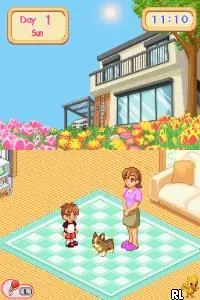
Dogz (Europe)
Dogz (Europe) on NDS
Dogz (Europe) is a simulation game released for the Nintendo DS. It falls under the genre of pet simulation, allowing players to interact with virtual dogs in a variety of ways. Developed by Ubisoft, this title is part of a series that includes similar games on various platforms, catering to fans of pet care and virtual companionship.
In the game, players adopt and care for their own virtual dog. The gameplay involves feeding, grooming, and training the dog, as well as engaging in mini-games that test the player's skills. Players can customize their dog's appearance and interact with it using the DS's touchscreen, creating a personalized experience. The core loop revolves around nurturing the pet, ensuring its happiness and health, and enjoying various activities together.
Today, Dogz remains a charming title for those who appreciate simulation games, especially within the pet genre. While it may not have the depth of some modern games, it offers a nostalgic experience reminiscent of the early 2000s pet simulation craze. Its straightforward mechanics and engaging pet care elements make it a fun choice for casual gamers or those looking to relive their childhood memories with virtual pets.
How to Play Dogz (Europe) Online
Getting started in Dogz is fairly simple. After launching the game, players will be prompted to create a new profile and select their first dog. The initial phase involves exploring the game's interface, which includes options for feeding and playing with your dog, as well as customizing its appearance.
As you progress, the core loop focuses on keeping your dog happy and healthy. Activities include training sessions, grooming, and playing mini-games to improve your dog's skills. Engaging regularly with your pet will foster a bond and unlock additional content, making it essential to interact frequently to fully enjoy the experience.
Dogz (Europe) Keyboard Controls
Controls
- Arrow Keys — D-Pad / Movement
- X — A button
- S — B button
- Z — Y button
- A — X button
- Q — L shoulder
- E — R shoulder
- Enter — Start
- V — Select






Comments (0)