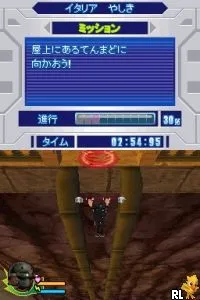
Bolt (Japan) (Rev 1)
Bolt (Japan) (Rev 1) on NDS
Bolt (Japan) (Rev 1) is a revision of the action game based on the animated film of the same name, released for the Nintendo DS. This title falls within the action genre and was primarily aimed at the Japanese market. While the original film was produced by Walt Disney Animation Studios, the game itself was developed by a team that has not been widely documented, making it a lesser-known entry in the DS library.
In Bolt, players take on the role of the titular character, a dog who believes he possesses superpowers. The gameplay revolves around navigating through various levels, overcoming obstacles, and defeating enemies using a combination of platforming mechanics and combat. Players will engage in running, jumping, and using Bolt's unique abilities to progress through the stages, which are heavily inspired by the film's narrative and visuals.
Today, Bolt (Japan) (Rev 1) offers a nostalgic trip for fans of the film and those interested in licensed video games from the mid-2000s. While it may not be as celebrated as other platformers of its time, its connection to the animated film and the charming graphics make it worth a try for collectors and retro enthusiasts. Its gameplay reflects the conventions of action games on the DS, though it may feel simplistic compared to more complex titles in the genre.
How to Play Bolt (Japan) (Rev 1) Online
Getting Started: Begin by familiarizing yourself with the game's controls, as they are crucial for navigating the levels. The game may start with a brief introduction to the story, but soon you will find yourself in the action. Pay attention to the environment and enemies as you progress.
The core loop involves moving through levels, defeating enemies, and solving platforming challenges. Collect power-ups and items that can enhance Bolt's abilities, allowing for more effective gameplay. If you encounter menus, note that they are in Japanese, so look for familiar icons to navigate through options.
Bolt (Japan) (Rev 1) Keyboard Controls
Controls
- Arrow Keys — D-Pad / Movement
- X — A button
- S — B button
- Z — Y button
- A — X button
- Q — L shoulder
- E — R shoulder
- Enter — Start
- V — Select






Comments (0)