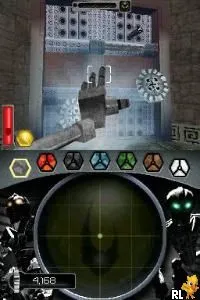
Bionicle Heroes (Japan)
Bionicle Heroes (Japan) - Action Classic
Bionicle Heroes (Japan) is an action-adventure game released for the Nintendo DS, based on the popular Bionicle franchise. The game was developed by the team behind the Bionicle series and released in Japan. It combines platforming elements with an engaging story set in the Bionicle universe, allowing players to control various characters from the franchise.
In Bionicle Heroes, players take on the role of different Bionicle heroes as they navigate through levels filled with enemies and obstacles. The gameplay focuses on combat and exploration, with players utilizing unique abilities of each character to overcome challenges. The game features a mix of platforming and action mechanics, allowing for various combat tactics and exploration strategies.
This title is worth trying for fans of the Bionicle series and those who enjoy action-adventure games on the Nintendo DS. While it may not have the depth or complexity of some contemporary titles, it offers a nostalgic experience for players familiar with the franchise. Compared to other DS action games, it might seem simpler, but its charm lies in its engaging characters and the unique world of Bionicle, making it a fun addition to any retro gaming library.
How to Play Bionicle Heroes (Japan) Online
Getting started in Bionicle Heroes involves selecting your character and diving into the action. The game presents levels where you will face enemies and solve puzzles. As you play through the game, focus on utilizing the unique abilities of each Bionicle hero to navigate through various challenges and defeat foes.
The core gameplay loop revolves around battling enemies, collecting items, and progressing through different environments. Make sure to explore each level thoroughly, as there are secrets and upgrades to discover. Keep in mind that the menus are in Japanese, so familiarizing yourself with basic navigation will help you enjoy the game without confusion.
Bionicle Heroes (Japan) Keyboard Controls
Controls
- Arrow Keys — D-Pad / Movement
- X — A button
- S — B button
- Z — Y button
- A — X button
- Q — L shoulder
- E — R shoulder
- Enter — Start
- V — Select






Comments (0)