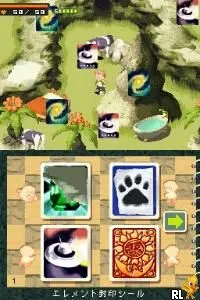
Ballerina (Europe) (En,Fr,De,Es,It,Nl)
Inside Ballerina (Europe) (En,Fr,De,Es,It,Nl)
Ballerina (Europe) (En,Fr,De,Es,It,Nl) is a Nintendo DS title that falls under the educational genre. It was released in Europe and is designed for players who enjoy engaging with dance-related content. While specific development details are not widely documented, the game is part of the DS's diverse portfolio that includes various interactive and educational experiences aimed at younger audiences.
In Ballerina, players take on the role of a dancer, navigating through various dance routines and challenges. The gameplay involves executing moves, timing jumps, and possibly following rhythm-based sequences, which are common mechanics in dance simulation games of this era. Players may encounter different levels or stages that require mastering specific dance styles, adding a layer of progression and skill development.
Although it may not have the same recognition as major titles on the platform, Ballerina offers a unique experience for those interested in dance and rhythm games. Its niche appeal makes it worth exploring, especially for fans of similar educational games from the Nintendo DS library. If you enjoy games that promote physical coordination and rhythm, this title could be an interesting addition to your collection.
How to Play Ballerina (Europe) (En,Fr,De,Es,It,Nl) Online
To get started with Ballerina, first select your preferred language from the available options. Once in the game, you will be introduced to the basic controls and mechanics. Your main goal is to complete dance routines by following on-screen prompts, which will guide you through various movements and steps.
As you progress, focus on timing and accuracy to earn higher scores. Pay attention to the rhythm and any cues provided to enhance your performance. Mastering the dance routines will unlock new levels and challenges, allowing you to experience the full breadth of what Ballerina has to offer.
Ballerina (Europe) (En,Fr,De,Es,It,Nl) Keyboard Controls
Controls
- Arrow Keys — D-Pad / Movement
- X — A button
- S — B button
- Z — Y button
- A — X button
- Q — L shoulder
- E — R shoulder
- Enter — Start
- V — Select

Comments (0)