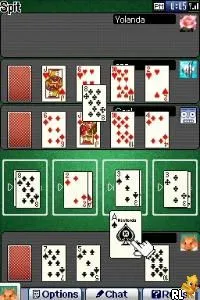
42 All-Time Classics (Europe) (En,Fr,De,Es,It) (Rev 1)
Getting to Know 42 All-Time Classics (Europe) (En,Fr,De,Es,It) (Rev 1)
42 All-Time Classics (Europe) (En,Fr,De,Es,It) (Rev 1) is a compilation of classic games specifically tailored for the Nintendo DS. Released in Europe, this title brings together a variety of mini-games that span across multiple genres, making it a nostalgic trip for fans of retro gaming. While the exact development details remain somewhat obscure, the game represents a collection that is reminiscent of the casual gaming trend that gained traction during the DS era.
In this compilation, players engage with various mini-games that test skills in areas like reflexes, strategy, and puzzle-solving. The gameplay typically involves simple mechanics, making it accessible for players of all ages. Each mini-game is designed to be played in quick sessions, allowing players to jump in and out with ease. Although the specific controls for each game may vary, the overall structure remains focused on providing bite-sized entertainment.
What makes 42 All-Time Classics worth trying today is its charm and the variety it offers. While it may not be as richly detailed as some standalone titles, it serves as a great introduction to classic gameplay mechanics for new players or a fun nostalgia trip for those familiar with retro gaming. The simplicity and ease of access make it comparable to other mini-game compilations from its time, appealing to both casual gamers and those seeking a quick gaming fix.
How to Play 42 All-Time Classics (Europe) (En,Fr,De,Es,It) (Rev 1) Online
Getting started with 42 All-Time Classics involves selecting a mini-game from the main menu. Once you choose a game, familiarize yourself with its specific mechanics, which can vary widely from one game to another. The core loop generally involves completing challenges or achieving high scores in quick sessions.
42 All-Time Classics (Europe) (En,Fr,De,Es,It) (Rev 1) Keyboard Controls
Controls
- Arrow Keys — D-Pad / Movement
- X — A button
- S — B button
- Z — Y button
- A — X button
- Q — L shoulder
- E — R shoulder
- Enter — Start
- V — Select






Comments (0)