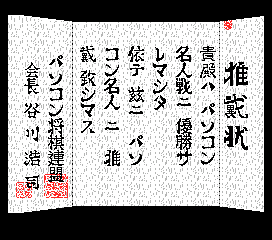
The game loads when you press Play · press “Play Now” inside the game if it asks.
Shougi Sinan 2
Shougi Sinan 2
Shougi Sinan 2: MSX2 Board Game
- MSX 2
- Board Game
- 5· 0 votes
GAME INFO
- Platform
- MSX 2
- Genre
- Board Game
- Players
- 1
- Region
- Japan
More Shougi Sinan Games
Ready for another round? Explore more Shougi Sinan games and console editions. Choose a game below to play it on its own page.

How to play Shougi Sinan 2 online
Getting Started
When you first load Shougi Sinan 2, you will see a title screen with Japanese text. Use the D-Pad (Arrow Keys) to navigate menus and press X to confirm selections. Typically you choose between playing against the computer or a second player locally. The game may offer difficulty levels or handicap settings, but the menus are entirely in Japanese.
The core loop is standard shogi: you and your opponent take turns moving pieces on a 9x9 board. Pieces include king, rook, bishop, gold general, silver general, knight, lance, and pawn, each with specific movement rules. Captured opponent pieces become your own and can be dropped back onto the board. The match ends when one side's king is checkmated.
If you are new to shogi, start with the easiest computer opponent. Understand piece promotion when entering the opponent's camp. The game does not offer tutorials or hints, so familiarity with shogi rules is recommended. Since the interface is all in Japanese, memorizing menu positions will help navigate options like starting a new game or adjusting settings.
CONTROLS
Controls
- Arrow Keys: D-Pad / Movement
- X: Trigger 1
- S: Trigger 2
- Enter: Start
Shougi Sinan 2 FAQ
Does Shougi Sinan 2 have a multiplayer or co-op mode?
The game likely supports two-player local play, allowing a second person to take turns using the same keyboard. Co-op mode is not present, as shogi is a competitive one-on-one game.
Can players save progress in Shougi Sinan 2?
Due to the MSX 2 era and lack of battery-backed RAM in most cartridges, saving progress is improbable. Some games used password systems, but it is not confirmed for this title.
In what year was Shougi Sinan 2 originally released?
The exact release year is not widely documented. It is known as a sequel released during the MSX 2's commercial lifespan, likely in the late 1980s or early 1990s, but precise records are scarce.
You may also like
All MSX 2 games











GAME INFO
- Platform
- MSX 2
- Genre
- Board Game
- Players
- 1
- Region
- Japan
COMMENTS (0)
No comments yet. Be the first to share your thoughts.