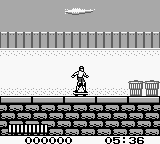
Skate or Die - Bad 'N Rad (Europe)
About Skate or Die - Bad 'N Rad (Europe)
Skate or Die - Bad 'N Rad (Europe) is a title for the Game Boy that emerged during the 1990s, a period rich in platforming and action games. This game is part of the Skate or Die franchise, originally developed for other platforms, and it is recognized as an official release on the Game Boy. Its blend of skateboarding and action mechanics has made it a notable entry in the portable gaming landscape of that era.
In this game, players navigate through various levels while performing tricks and avoiding obstacles. The gameplay revolves around mastering skateboarding moves, collecting items, and completing challenges. The mechanics are straightforward but engaging, allowing players to experience the thrill of skateboarding in a simplified format suitable for the handheld platform.
Today, Skate or Die - Bad 'N Rad holds a certain charm for retro gaming enthusiasts. While it may not have the depth of some contemporaries, it captures the spirit of skate culture from the 90s. For those who appreciate quirky sports titles or want to explore the evolution of skateboarding games, this title offers a nostalgic trip worth experiencing, even if it is a bit niche compared to other classics from the era.
How to Play Skate or Die - Bad 'N Rad (Europe) Online
To get started in Skate or Die - Bad 'N Rad, choose your character and familiarize yourself with the controls. The core loop involves skating through levels, performing tricks, and completing various objectives. Players will need to master the timing of jumps and tricks to navigate the obstacles effectively.
As you progress, focus on collecting items and hitting targets to score points. The game encourages experimentation with different tricks, so don’t hesitate to try new moves. Keep an eye on your surroundings for potential hazards and shortcuts that can help you finish levels more efficiently.
Skate or Die - Bad 'N Rad (Europe) Keyboard Controls
Controls
- Arrow Keys — D-Pad / Movement
- X — A button (jump / confirm)
- S — B button (run / attack / cancel)
- Enter — Start / Pause
- V — Select






Comments (0)