Bomber Boy (Japan)
Bomber Boy (Japan) Overview
Bomber Boy (Japan) is a Game Boy title that falls within the action genre. It was released exclusively in Japan, showcasing the platform's typical charm and gameplay mechanics. The game is often noted for its simple yet engaging gameplay, which aligns well with the era's standards for portable gaming.
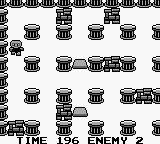
In Bomber Boy, players navigate through various levels, strategically placing bombs to defeat enemies and clear obstacles. The core mechanics revolve around timing and positioning, as players must be careful not to blow themselves up while trying to progress through the stages. The game features a straightforward layout, allowing newcomers to quickly grasp the controls while offering enough challenge to keep seasoned players engaged.
While Bomber Boy may not be as widely recognized as other Game Boy classics, it still holds a certain appeal for retro gaming enthusiasts. Its straightforward gameplay and nostalgic graphics make it a worthwhile experience for fans of the genre. Compared to similar titles from the era, it may come off as a niche choice, but its simplicity and charm provide a pleasant diversion for those willing to give it a shot.
How to Play Bomber Boy (Japan) Online
Getting started in Bomber Boy involves familiarizing yourself with the basic controls and mechanics. Players begin by navigating the levels, using bombs to eliminate enemies and clear paths. Pay attention to the environment, as certain areas may require specific strategies to navigate successfully.
As you progress, keep in mind that the game is in Japanese, which may necessitate some trial and error in navigating menus. However, the core gameplay loop remains accessible: place bombs wisely, avoid getting caught in your own explosions, and move through each stage to reach the end. Mastering the timing and placement of your bombs will be key to advancing through the game.
Bomber Boy (Japan) Keyboard Controls
Controls
- Arrow Keys — D-Pad / Movement
- X — A button (jump / confirm)
- S — B button (run / attack / cancel)
- Enter — Start / Pause
- V — Select






Comments (0)