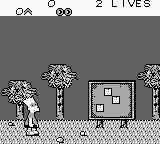
Bart no Survival Camp (Japan)
Getting to Know Bart no Survival Camp (Japan)
Bart no Survival Camp is a Japan-exclusive title released for the Game Boy. This action-adventure game, based on the popular animated series The Simpsons, was developed and published by Konami. It was released in the early '90s, a time when the Game Boy was establishing itself as a platform for engaging portable gaming experiences.
In Bart no Survival Camp, players control Bart Simpson as he navigates through various stages filled with challenges and enemies. The gameplay involves collecting items, solving puzzles, and overcoming obstacles to progress. Each level presents unique scenarios that require players to utilize Bart's abilities effectively, making it a blend of platforming and action elements.
Despite its niche appeal, Bart no Survival Camp offers a glimpse into the era's licensed games, where titles were often tied to popular franchises. It's a game worth trying for fans of The Simpsons or those looking to explore lesser-known Game Boy titles. While it might not reach the heights of more famous games, it provides a fun, albeit simple, experience that captures the spirit of the series during its peak popularity.
How to Play Bart no Survival Camp (Japan) Online
Getting Started: To start playing Bart no Survival Camp, first, select your game mode from the main menu. The menus are in Japanese, so look for the first option to begin your adventure. Once you start, you'll control Bart as he navigates through diverse environments, collecting items and avoiding enemies.
The core gameplay loop involves progressing through levels, defeating foes, and solving puzzles. Pay attention to your surroundings, as items can help you on your journey. Practice using Bart's abilities effectively, as some sections may require precise jumps or timing to navigate obstacles successfully.
Bart no Survival Camp (Japan) Keyboard Controls
Controls
- Arrow Keys — D-Pad / Movement
- X — A button (jump / confirm)
- S — B button (run / attack / cancel)
- Enter — Start / Pause
- V — Select






Comments (0)