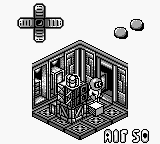
Altered Space - A 3-D Alien Adventure (Europe)
Altered Space - A 3-D Alien Adventure (Europe) Overview
Altered Space - A 3-D Alien Adventure is a unique action-adventure title for the Game Boy, released in Europe. This game is known for its 3D graphics, which were quite ambitious for the platform at the time. Developed by the team behind other notable titles, it offers a distinctive experience within the portable gaming landscape of the early 90s.
In this game, players navigate through various levels filled with alien creatures and puzzles. The gameplay revolves around exploration, using a combination of jumping, running, and attacking to overcome obstacles and enemies. The mechanics are straightforward, allowing players to engage with the environment and solve challenges as they progress through the game's stages.
Today, Altered Space is worth checking out for its nostalgic value and its place among early 3D titles on handheld systems. While it may not have the same level of recognition as some contemporaries, it offers a glimpse into the experimentation of game design during the Game Boy era. Fans of retro gaming will appreciate its charm, even if it remains a niche title in the broader library of classic games.
How to Play Altered Space - A 3-D Alien Adventure (Europe) Online
To get started in Altered Space, first, familiarize yourself with the controls as listed above. Once you begin the game, you'll find yourself in an alien environment filled with various challenges. The core loop involves exploring different areas, defeating enemies, and solving puzzles to progress through the levels.
Pay attention to your surroundings as you navigate the game. You’ll need to jump over obstacles, utilize your attacks against foes, and find hidden paths to advance. Keep an eye out for items or power-ups that can aid you in your adventure. Understanding the layout of each level and how to interact with the environment is key to enjoying the game fully.
Altered Space - A 3-D Alien Adventure (Europe) Keyboard Controls
Controls
- Arrow Keys — D-Pad / Movement
- X — A button (jump / confirm)
- S — B button (run / attack / cancel)
- Enter — Start / Pause
- V — Select






Comments (0)