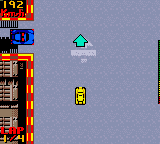
The game loads when you press Play · press “Play Now” inside the game if it asks.
N.Y. Race (Europe) (En,Fr,De,Es,It,Pt)
N.Y. Race
N.Y. Race: GBC Racing
- Game Boy Color
- Racing
- 5· 0 votes
GAME INFO
- Platform
- Game Boy Color
- Genre
- Racing
- Players
- 1
- Region
- Europe
How to play N.Y. Race online
Getting started: When you boot up N.Y. Race, you'll likely see a title screen followed by a menu. Use the D-Pad to navigate options and press X (A button) to confirm your selection. Most racing games on Game Boy Color begin with a car select screen - pick a vehicle if offered, then choose a track or race mode. The goal is to finish ahead of the computer opponents after a set number of laps.
The core loop is simple: accelerate with X (or maybe B depending on mapping), steer with the D-Pad, and watch for obstacles. Some tracks may have speed boost pads or shortcuts. Braking may not be necessary - many handheld racers rely on letting off the gas to slow down. Stay inside the track boundaries and avoid running into other cars. If you hit something, your speed will drop temporarily. Keep an eye on the lap counter and position indicator at the top or bottom of the screen.
If you're new to retro racing games, start with the easiest difficulty if available. The game's response to controls can feel a bit stiff compared to modern titles, so take a few practice laps to get a feel for steering and speed. Since this is a European release, menus may default to English but can be switched via the language options. There's no deep story - just race and try to win the championship or cups offered in the game's main mode.
CONTROLS
Controls
- Arrow Keys: D-Pad / Movement
- X: A button (jump / confirm)
- S: B button (run / attack / cancel)
- Enter: Start / Pause
- V: Select
N.Y. Race FAQ
Which regions was N.Y. Race released in?
It was released in Europe according to the title and file information. The game includes multiple European languages, suggesting it was distributed across several countries in that region. There is no evidence of a North American or Japanese release.
In what year was N.Y. Race originally released?
The exact release year is not widely documented. It likely came out in the late 1990s or early 2000s during the Game Boy Color's active lifespan, but a precise date is not available from the provided context.
Is N.Y. Race exclusive to Game Boy Color or did it appear on other systems?
It appears to be exclusive to the Game Boy Color. No ports or versions for other platforms have been confirmed in the available information.
You may also like
All Game Boy Color games











GAME INFO
- Platform
- Game Boy Color
- Genre
- Racing
- Players
- 1
- Region
- Europe
COMMENTS (0)
No comments yet. Be the first to share your thoughts.