CHOOSE A VERSION
2 versions · same consoleChoose an original release, regional version, revision, bootleg or clearly labelled ROM hack/mod, then press Play. Hacks may change the gameplay. Switching versions restarts the player.
Selected: Default · USA · USA
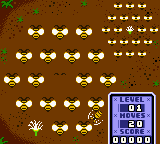
The game loads when you press Play · press “Play Now” inside the game if it asks.
Microsoft Puzzle Collection (USA)
Microsoft Puzzle Collection
What is Microsoft Puzzle Collection?
- Game Boy Color
- Puzzle
- Compilation
- 5· 0 votes
GAME INFO
- Platform
- Game Boy Color
- Genre
- Puzzle
- Players
- 1
- Region
- USA
How to play Microsoft Puzzle Collection online
When you first boot up Microsoft Puzzle Collection, you'll see a title screen with a list of six puzzle games. Use the D-pad to highlight your choice and press the X button (mapped to A) to select it. Some games may require you to navigate menus for difficulty or card style before starting.
The core gameplay varies by minigame. In FreeCell and Solitaire, you move cards between columns and foundations using the D-pad to focus on a card and X to pick it up. Minesweeper asks you to reveal safe squares and flag mines with careful button presses. Each game ends when you complete the objective or a timer runs out in some modes. There are no saved games, so each session is a fresh puzzle.
New players should start with the simpler games like Solitaire or Minesweeper to get used to the controls. The interface is minimal but functional - just select, move, and confirm. If you are familiar with the Windows originals, the rules are identical, though the graphics are simplified. Enjoy the portable take on classic logic puzzles.
CONTROLS
Controls
- Arrow Keys: D-Pad / Movement
- X: A button (jump / confirm)
- S: B button (run / attack / cancel)
- Enter: Start / Pause
- V: Select
Microsoft Puzzle Collection FAQ
Who developed Microsoft Puzzle Collection?
The development studio for this Game Boy Color compilation is not widely documented. It was likely handled by a third-party porting studio under license from Microsoft, but specific credits are scarce.
Is there anything iconic or memorable about Microsoft Puzzle Collection?
Its main claim to fame is being one of the few Microsoft-published titles on a Nintendo handheld, bringing classic Windows puzzles like Minesweeper and Solitaire to a portable format. The compilation stands as a quirky piece of cross-platform history rather than a standout game.
Is Microsoft Puzzle Collection exclusive to Game Boy Color or did it appear on other systems?
This collection is exclusive to the Game Boy Color. The individual puzzle games originated on Microsoft Windows, but this specific compilation of six titles was only released for Nintendo's handheld.
You may also like
All Game Boy Color games











GAME INFO
- Platform
- Game Boy Color
- Genre
- Puzzle
- Players
- 1
- Region
- USA
COMMENTS (0)
No comments yet. Be the first to share your thoughts.