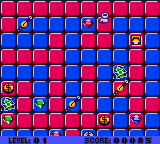
Microsoft Puzzle Collection (Europe) (En,Fr,De,Es,It)
Microsoft Puzzle Collection (Europe) (En,Fr,De,Es,It) - Puzzle Classic
Microsoft Puzzle Collection hit the Game Boy Color as a direct port of a small slice of the Windows puzzle suite that many of us grew up with. Released in Europe, this compilation brings together six of the ten games from the PC original, all bundled into a single cartridge. It's a straightforward collection of brain teasers, leaning on the same formula that made the PC version a staple of office desks and home computers in the late 90s.
You pick from six puzzle types, each a classic like Minesweeper, Sokoban, or a word game - though the exact lineup varies from the PC release. The gameplay is pure logic: you use the D-pad to move around grids or tiles, and the buttons to flag, swap, or confirm. Each game has multiple difficulty levels, letting you start easy and ramp up. The core loop is simple - select a puzzle, solve it, then move to the next or retry for a better score.
For today's retro fan, this is a neat time capsule of how Microsoft's casual puzzle brand translated to a handheld. It's not the deepest or most ambitious GBC title, but it offers a solid variety of mental challenges that travel well. If you liked the Windows versions, you'll appreciate seeing them on a tiny screen. Otherwise, it's a decent way to kill time with some classic logic problems that don't demand a lot of flash.
How to Play Microsoft Puzzle Collection (Europe) (En,Fr,De,Es,It) Online
Getting Started
When you boot up the game, you'll see a menu listing the six included puzzle games. Use the D-Pad to highlight a title and press X (A button) to select it. Each puzzle has its own rules - for instance, Minesweeper asks you to uncover cells while avoiding mines, while others might involve sliding tiles or matching patterns. The game provides brief instructions on screen before each puzzle starts, so read those carefully.
The core loop is simple: choose a game, adjust difficulty if offered, then play until you clear the board or run out of moves. There's no overarching story or progression - just a menu of standalone puzzles to tackle in any order. If you get stuck, you can often restart a puzzle or return to the main menu. The controls are straightforward, but some games may require quick reflexes or careful planning, so take your time.
This is a pure puzzle compilation - no hidden modes or secrets to unlock. It's designed for quick sessions, perfect for playing in short bursts. If you're familiar with the PC versions, you'll feel right at home. If not, each game teaches its own logic, so just dive in and experiment.
Microsoft Puzzle Collection (Europe) (En,Fr,De,Es,It) Keyboard Controls
Controls
- Arrow Keys: D-Pad / Movement
- X: A button (jump / confirm)
- S: B button (run / attack / cancel)
- Enter: Start / Pause
- V: Select





Comments (0)