Microsoft Entertainment Pack (Europe)
Microsoft Entertainment Pack (Europe): GBC Puzzle
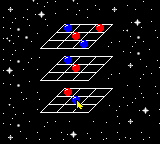
Microsoft Entertainment Pack for Game Boy Color brings a selection of six puzzle games from the classic Windows PC suite to the handheld. Released in Europe, this compilation takes the casual, bite-sized fun of the original and crams it into a portable cartridge. It is a straightforward port of the Windows collection, not a hack or homebrew, and remains one of the few official Microsoft-published titles on Nintendo hardware.
How to Play Microsoft Entertainment Pack (Europe) Online
Getting Started
After starting the game, you are taken to a menu listing the six included minigames. Use the D-Pad to highlight a title and press the A button (X key) to select it. Each game has its own simple rules - most involve clearing tiles, connecting pipes, or solving pattern-based puzzles. The core loop is picking a minigame, playing through a few rounds or levels, and either returning to the menu or switching to another game at any time.
There is no overarching story or persistent progression between the games; each minigame tracks its own score and difficulty separately. New players should try each game briefly to get a feel for the controls, which change slightly depending on the activity. The menus are in English, so navigation is straightforward. If you get stuck in a specific game, the on-screen instructions (shown before each round) explain the objective and controls.
Microsoft Entertainment Pack (Europe) Keyboard Controls
Controls
- Arrow Keys: D-Pad / Movement
- X: A button (jump / confirm)
- S: B button (run / attack / cancel)
- Enter: Start / Pause
- V: Select





Comments (0)