The game loads when you press Play · press “Play Now” inside the game if it asks.
Micro Machines V3 (USA, Europe)
Micro Machines V3
Micro Machines V3 - Racing Classic
- Game Boy Color
- Racing
- 5· 0 votes
GAME INFO
- Platform
- Game Boy Color
- Genre
- Racing
- Released
- 1998
- Region
- USA, Europe
- Version
- V3
How to play Micro Machines V3 online
Getting Started
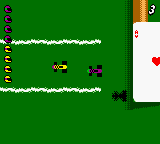
When you boot up Micro Machines V3, you are greeted with a title screen offering several menu options. Use the D-Pad to navigate and press A (X key) to select. The main game modes include Single Race, Championship, and Multiplayer (via link cable). Start with a quick race to get a feel for the tiny tracks and the handling of the cars. The vehicles drift easily, so tap the brakes (B button) to slide around tight corners.
Your objective in each race is to finish first. Along the track you will find colored weapon pickups: missiles, oil slicks, and speed boosts. Collect them by driving over the icons and press the button assigned to your weapon (usually A or B depending on your mapping) to fire. Shields can block incoming attacks but are rare. Pay attention to the mini-map at the bottom of the screen to spot opponents and upcoming turns. The AI is fairly aggressive, so keep moving and don't get stuck on obstacles like pencils or coins scattered on the track.
For multiplayer, connect a second Game Boy Color and a Link Cable. Both players need a copy of the game. From the main menu, choose Link and follow the on-screen prompts to establish a connection. The multiplayer mode supports up to four players with multiple cartridges and cables, but two-player is the most straightforward. Racing against a friend is where the game truly shines, as the close-quarters tracks lead to constant bumping and weapon trading.
CONTROLS
Controls
- Arrow Keys: D-Pad / Movement
- X: A button (jump / confirm)
- S: B button (run / attack / cancel)
- Enter: Start / Pause
- V: Select
Micro Machines V3 FAQ
Is Micro Machines V3 considered easy to pick up or challenging?
The controls are simple and the races are short, so it is accessible for new players. However, the AI can be relentless, and the small tracks with tight turns and hazards make it genuinely tough to finish first. Mastering drifting and weapon timing takes practice.
What makes Micro Machines V3 stand out among Game Boy Color titles of its era?
It brought the popular toy-themed racing concept to a handheld with bright, detailed graphics and a solid selection of tracks. The inclusion of weapon pickups and multiplayer via link cable gave it lasting appeal, especially for fans of the series who wanted a portable fix.
Does Micro Machines V3 have a multiplayer or co-op mode?
Yes, it supports multiplayer through the Game Boy Color Link Cable, allowing up to two players to race head-to-head. With multiple cartridges and cables, it can support up to four players, but two-player sessions are the most common.
You may also like
All Game Boy Color games











GAME INFO
- Platform
- Game Boy Color
- Genre
- Racing
- Released
- 1998
- Region
- USA, Europe
- Version
- V3
COMMENTS (0)
No comments yet. Be the first to share your thoughts.