CHOOSE A VERSION
2 versions · same consoleChoose an original release, regional version, revision, bootleg or clearly labelled ROM hack/mod, then press Play. Hacks may change the gameplay. Switching versions restarts the player.
Selected: Default · USA · USA
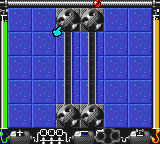
The game loads when you press Play · press “Play Now” inside the game if it asks.
Logical (USA)
Logical
Logical Overview
- Game Boy Color
- Puzzle
- 5· 0 votes
GAME INFO
- Platform
- Game Boy Color
- Genre
- Puzzle
- Publisher
- Rainbow Arts
- Players
- 1
- Region
- USA
How to play Logical online
CONTROLS
Controls
- Arrow Keys: D-Pad / Movement
- X: A button (jump / confirm)
- S: B button (run / attack / cancel)
- Enter: Start / Pause
- V: Select
Logical FAQ
Who developed Logical?
Rainbow Arts, a German developer known for a variety of puzzle and arcade games, created Logical for the Game Boy Color. The company was active in the late 1980s through the early 2000s.
What type of game is Logical?
It is a puzzle-dexterity hybrid that combines spatial reasoning with precise timing. Players navigate a small object through obstacle-filled stages, requiring both careful planning and quick reflexes.
Does Logical have a multiplayer or co-op mode?
No, Logical is strictly a single-player game. There are no multiplayer, co-op, or competitive modes included in the cartridge.
You may also like
All Game Boy Color games











GAME INFO
- Platform
- Game Boy Color
- Genre
- Puzzle
- Publisher
- Rainbow Arts
- Players
- 1
- Region
- USA
COMMENTS (0)
No comments yet. Be the first to share your thoughts.